The Frequently Bought Together widget promotes complementary products directly on the Search page, helping shoppers discover relevant bundles while increasing average order value and conversion rates.
By customizing the widget’s display, discount messaging, styling, and interaction behavior, merchants can control how bundled offers appear and how strongly they influence purchasing decisions.
Accessing the Widget
To configure the Frequently Bought Together widget:
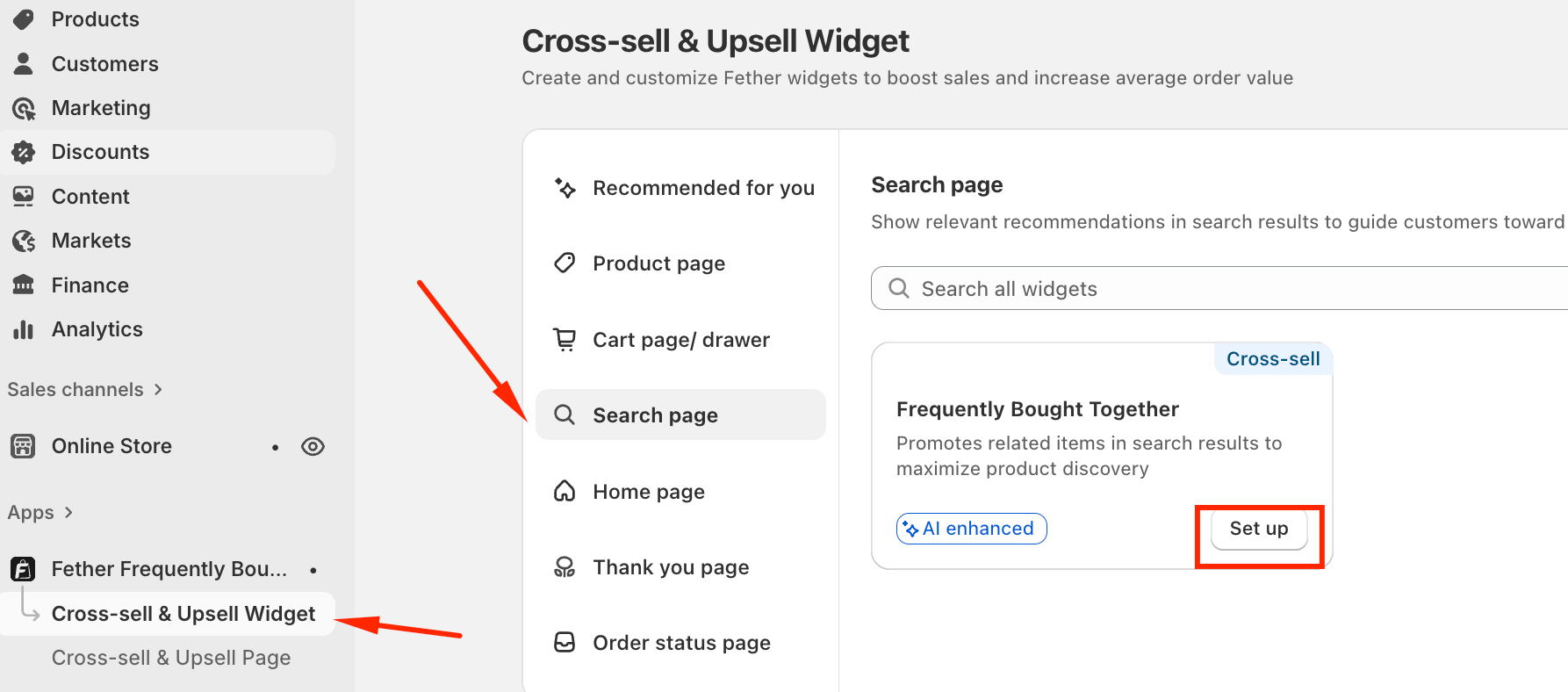
Open Cross-sell & Upsell Widget from the left-side menu
Select Search Page and click Set up on Frequently Bought Together
Go to the Widget display tab
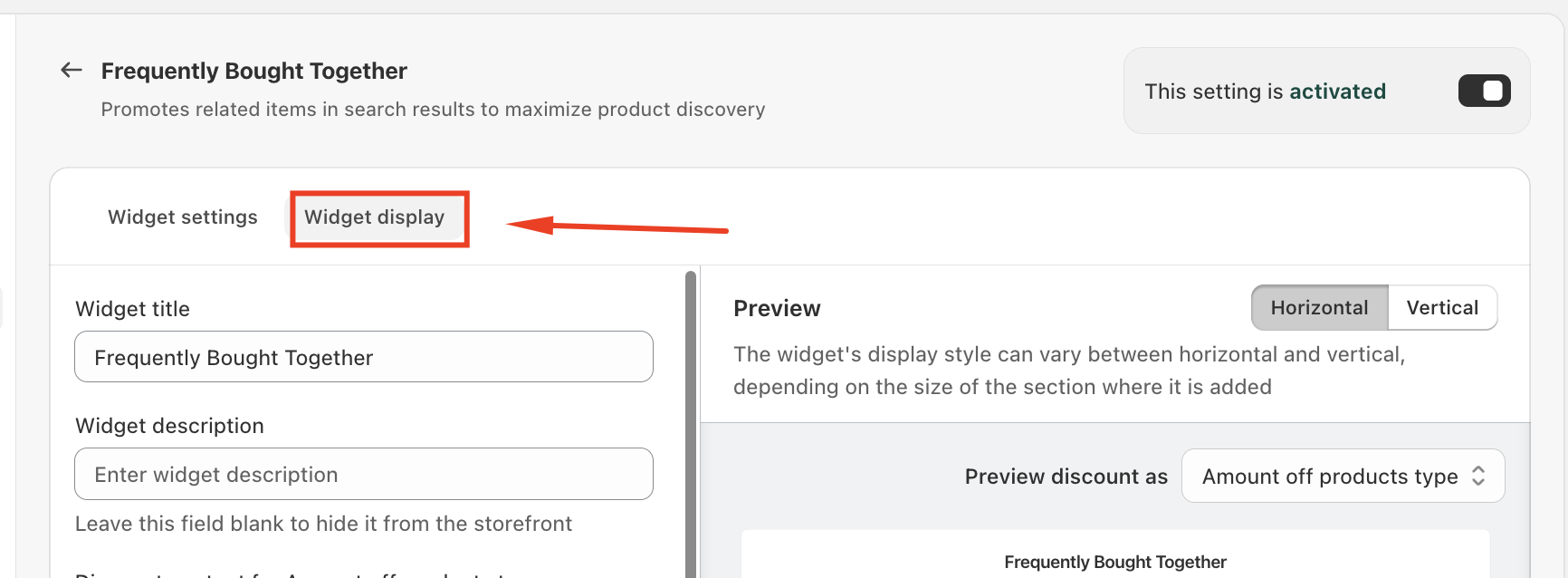
This section contains all visual, layout, messaging, and interaction-related settings.
Widget Display Settings
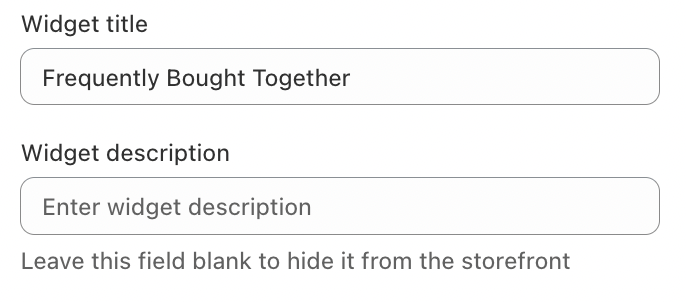
Widget Title
The main heading shown at the top of the widget (for example, “Frequently Bought Together”).
This helps customers immediately recognize that the displayed items are commonly purchased as a bundle.
Widget Description
Optional supporting text displayed below the title.
If left empty, the description is hidden for a cleaner layout
Use this field to communicate value such as savings or convenience
Example:
“Complete the set and save more when you buy together.”
Discount Content Customization
The widget supports multiple discount types, each with fully customizable messaging. Messages automatically update based on your discount rules.
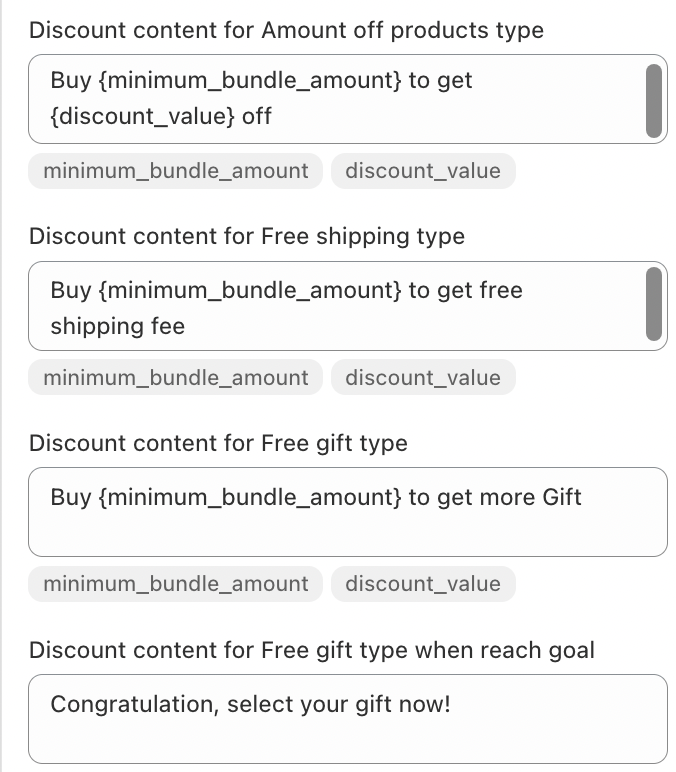
This reinforces progress and encourages checkout completion.
Styling & Visual Customization
Customize the widget’s appearance to match your storefront branding.
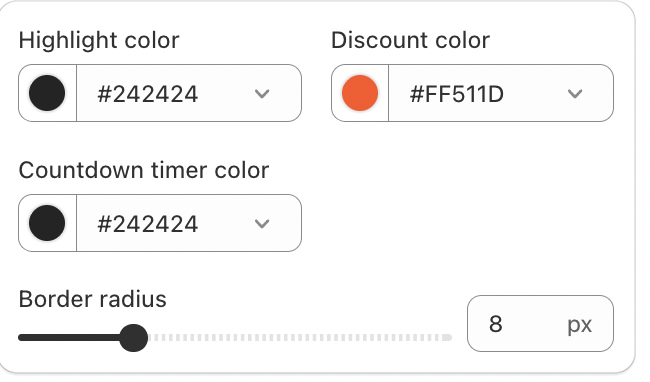
Color Settings
Highlight color – Emphasized UI elements and key text
Discount color – Discount values and promotional messaging
Countdown timer color – Timer color for time-based promotions
Strategic color contrast helps highlight savings and urgency without overwhelming the design.
Border Radius
Adjust the roundness of the widget’s corners to visually align with your store theme.
Interaction & Action Controls
Quantity Selector
When enabled, customers can adjust product quantities directly within the widget, reducing friction during the purchase process.
Add to Cart Button
Allows customers to add the entire bundle to their cart with one click.
Button label is customizable (for example, “Add to cart”)
Ideal for shoppers who want to continue browsing
Buy Now Button
When enabled, the Buy Now button lets customers proceed directly to checkout.
Designed for high-intent shoppers
Shortens the purchase journey and improves conversion speed
Countdown Timer (Time-Limited Promotions)
The widget can display a countdown timer to create urgency for discounted bundles.
Timer settings include:
Duration (in minutes)
Automatic red text when less than 30% of time remains
End-of-timer behavior
Once the timer ends:
The promotion is hidden for the current buyer session
This ensures expired offers do not reappear and maintains promotion credibility.
Activation Status
The activation toggle in the top-right corner controls widget visibility:
Activated – Widget is visible to customers
Deactivated – Widget is hidden while preserving all settings
This allows quick control over when promotions go live.
Summary
The Frequently Bought Together widget on the Search page surfaces relevant product bundles at the exact moment customers are actively searching. With flexible discount messaging, visual customization, urgency-driven countdown timers, and streamlined purchase actions like Add to Cart and Buy Now, the widget is a powerful tool for increasing product discovery, average order value, and conversion rates.
If you require further assistance, please don't hesitate to contact us at support@fether.app.
Was this article helpful?
That’s Great!
Thank you for your feedback
Sorry! We couldn't be helpful
Thank you for your feedback
Feedback sent
We appreciate your effort and will try to fix the article