The Order Status page is a valuable post-purchase touchpoint where customers are still engaged with your store. The Related Products widget allows you to recommend additional items at this stage, helping increase repeat purchases and product discovery without disrupting the checkout experience.
Accessing the Widget Display Settings
To customize the widget:
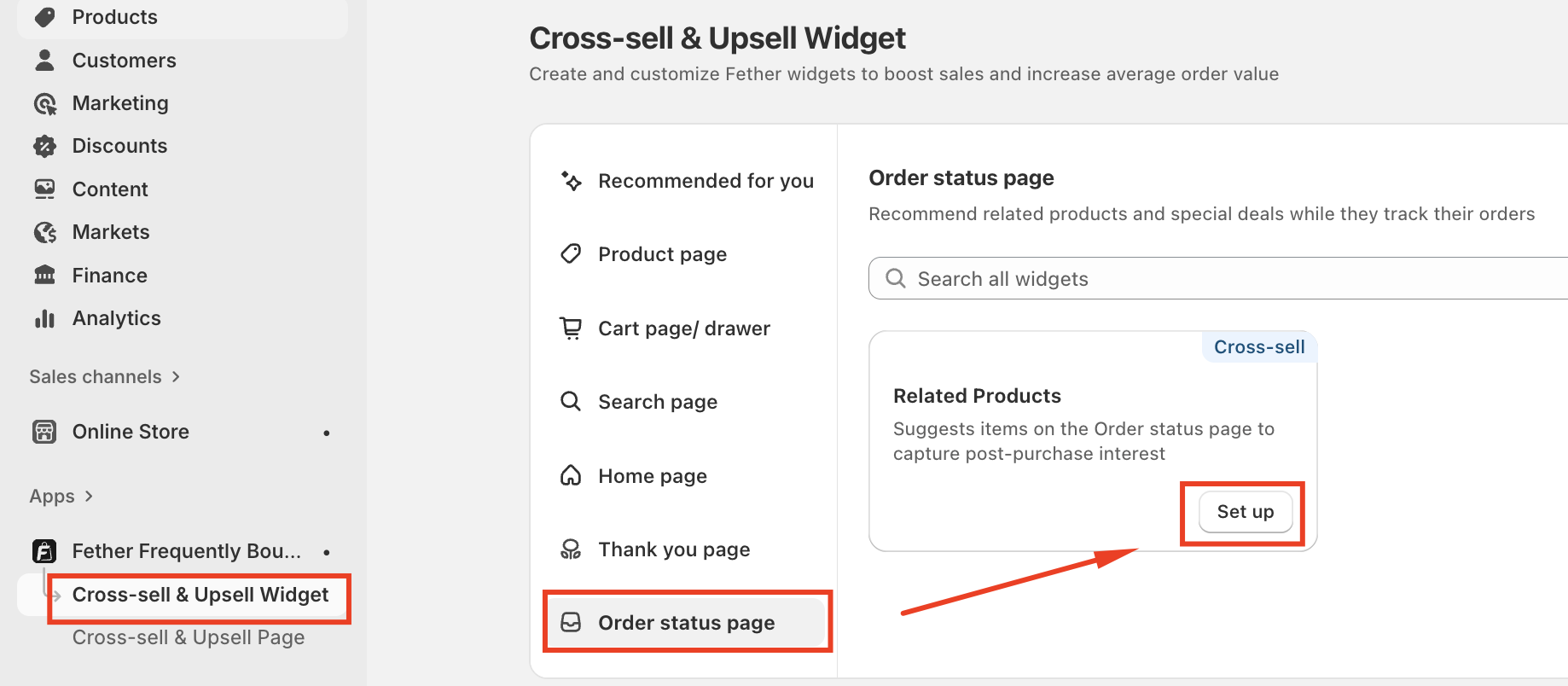
Open the Cross-sell & Upsell Widget--> Order Status page --> Set up on Related Products
Click the Widget display tab
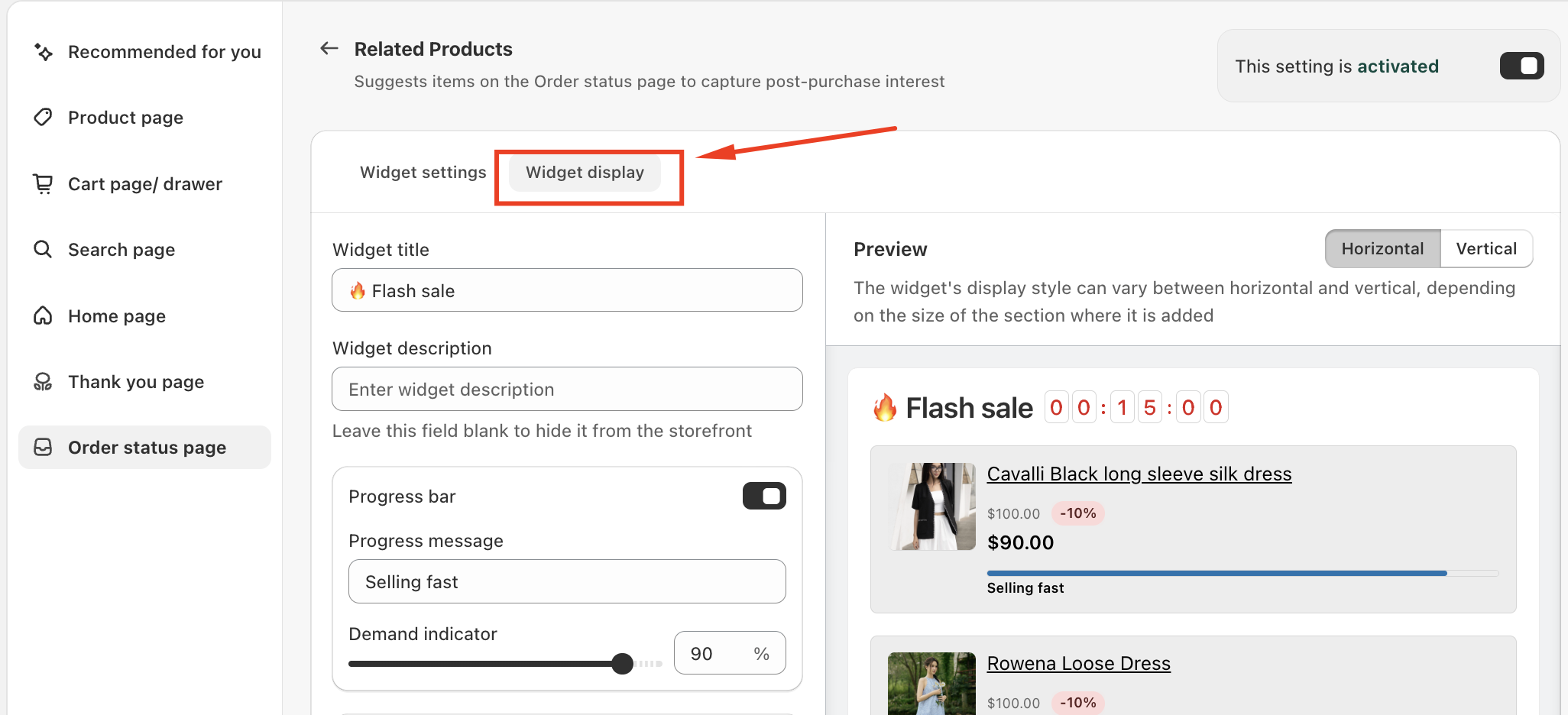
This section controls all visual and engagement-related settings for the widget.
Customization Options
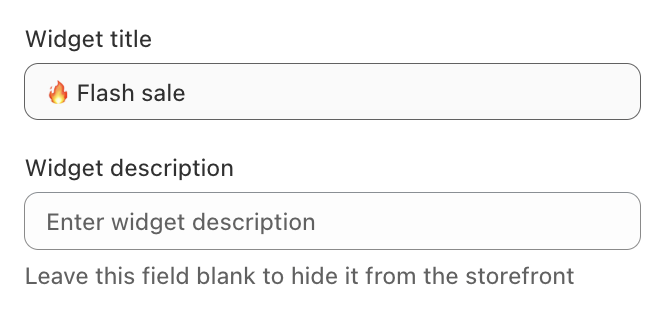
Widget Title
Set the heading customers see, such as “Related products” or “You may also like.”
Widget Description
Optional supporting text under the title. Leave it blank to hide it.
Engagement Options
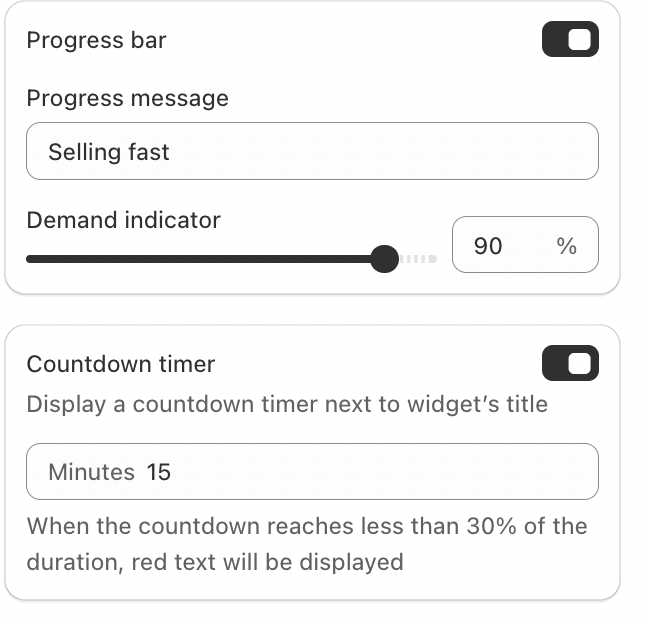
Progress Bar
Shows demand or popularity to create urgency.
Customize the message (e.g., Selling fast)
Adjust the demand percentage
Countdown Timer
Adds a timer next to the widget title for time-limited promotions.
Conclusion
The Related Products widget turns the Order Status page into an opportunity for post-purchase engagement. With simple customization and thoughtful recommendations, it helps drive additional sales while enhancing the customer experience.
If you require further assistance, please don't hesitate to contact us at support@fether.app.
Was this article helpful?
That’s Great!
Thank you for your feedback
Sorry! We couldn't be helpful
Thank you for your feedback
Feedback sent
We appreciate your effort and will try to fix the article