The Related Products widget is a post-purchase cross-sell tool designed specifically for the Thank You page. It helps you stay connected with customers after an order is completed by showcasing relevant product recommendations that encourage them to return and shop again.
Rather than ending the experience at order confirmation, the Related Products widget turns the Thank You page into a discovery moment—supporting repeat purchases without interrupting the checkout flow.
Why Use Related Products on the Thank You Page?
The Thank You page is a high-trust moment in the customer journey. Shoppers have just completed a purchase, making them more receptive to discovering additional products they may be interested in.
Using Related Products on this page allows you to:
Encourage repeat purchases without checkout friction
Introduce complementary or similar products
Extend engagement beyond the initial transaction
Increase customer lifetime value organically
Because the order is already complete, recommendations feel helpful rather than sales-driven.
How the Related Products Widget Works
The widget appears on the Thank You page immediately after a customer places an order. Products are dynamically selected based on predefined recommendation strategies, ensuring suggestions remain relevant to what the customer just purchased.
This approach helps maintain personalization while requiring minimal manual effort.
Product Recommendation Strategies
You can control how products are selected using the following strategies:
Products bought together in the same order
Recommend items commonly purchased together for proven relevance.Products in the same collection
Suggest items from the same curated collection.Products in the same category
Keep recommendations broadly relevant within a category.Products with the same tag
Use tags to create targeted and meaningful product matches.Products of the same type
Ideal for showcasing similar styles or alternatives.Specific collection
Manually feature a chosen collection, such as New Arrivals or Best Sellers.Specific products
Hand-pick individual products to promote after purchase.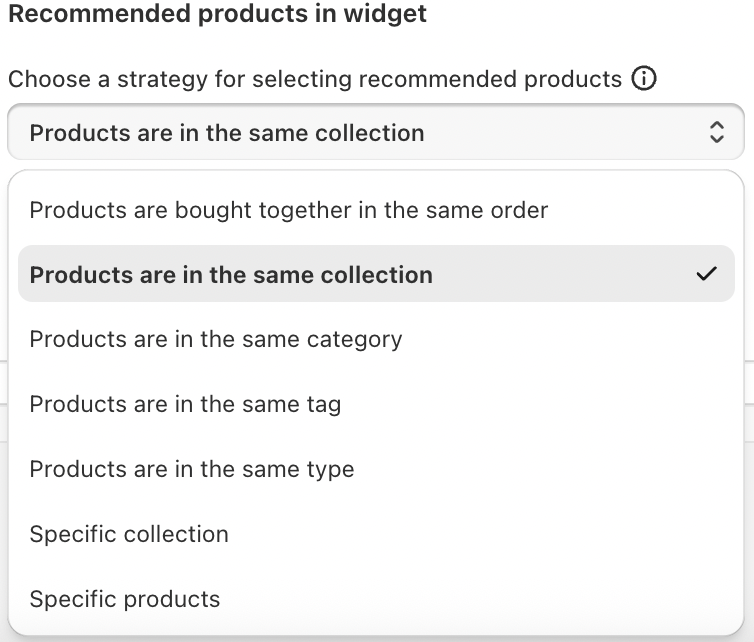
These options give you full flexibility to align recommendations with your merchandising strategy.
How to Set Up Related Products
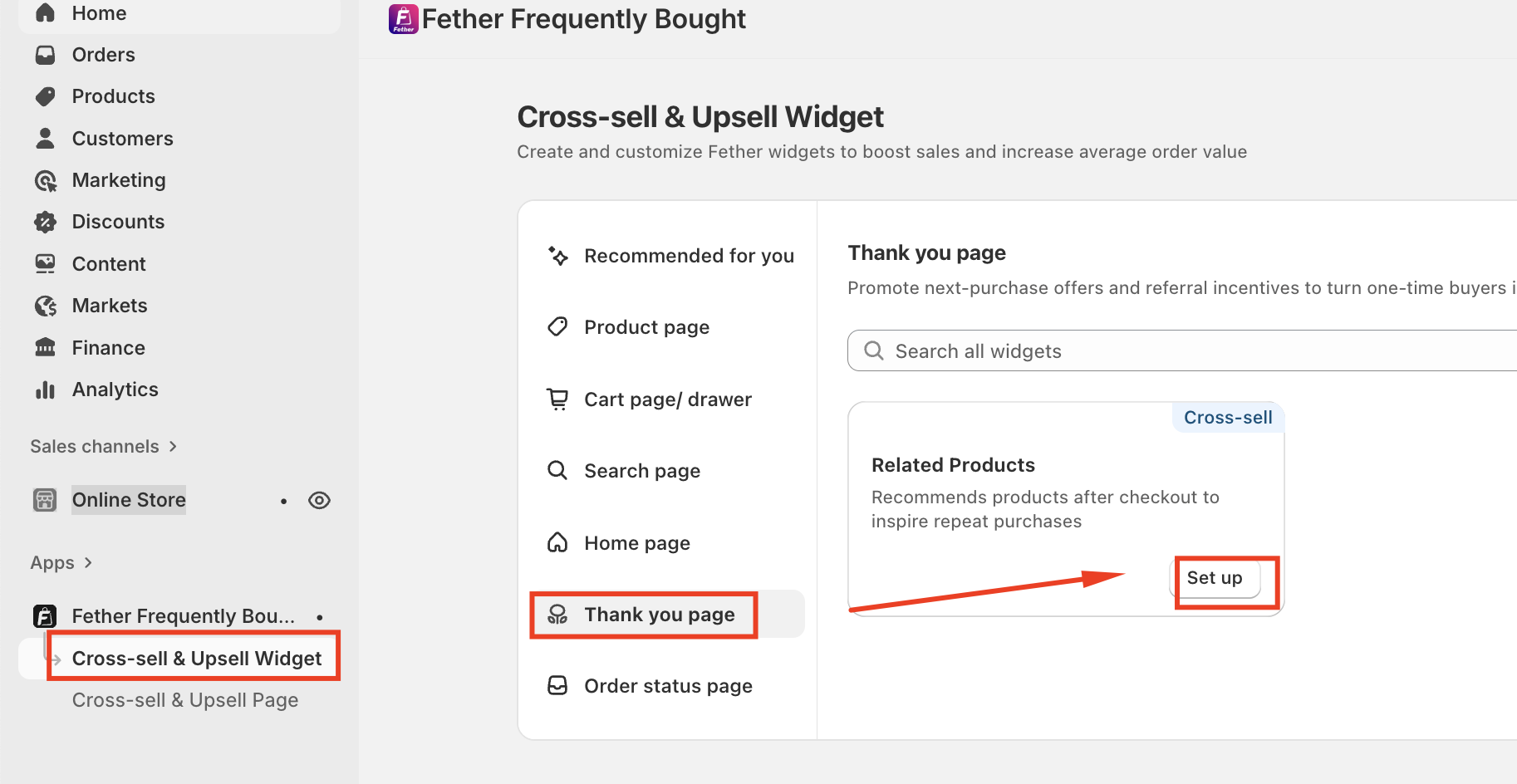
Navigate to Cross-sell & Upsell Widgets--> Go to Thank You page
Click Set up on Related Products
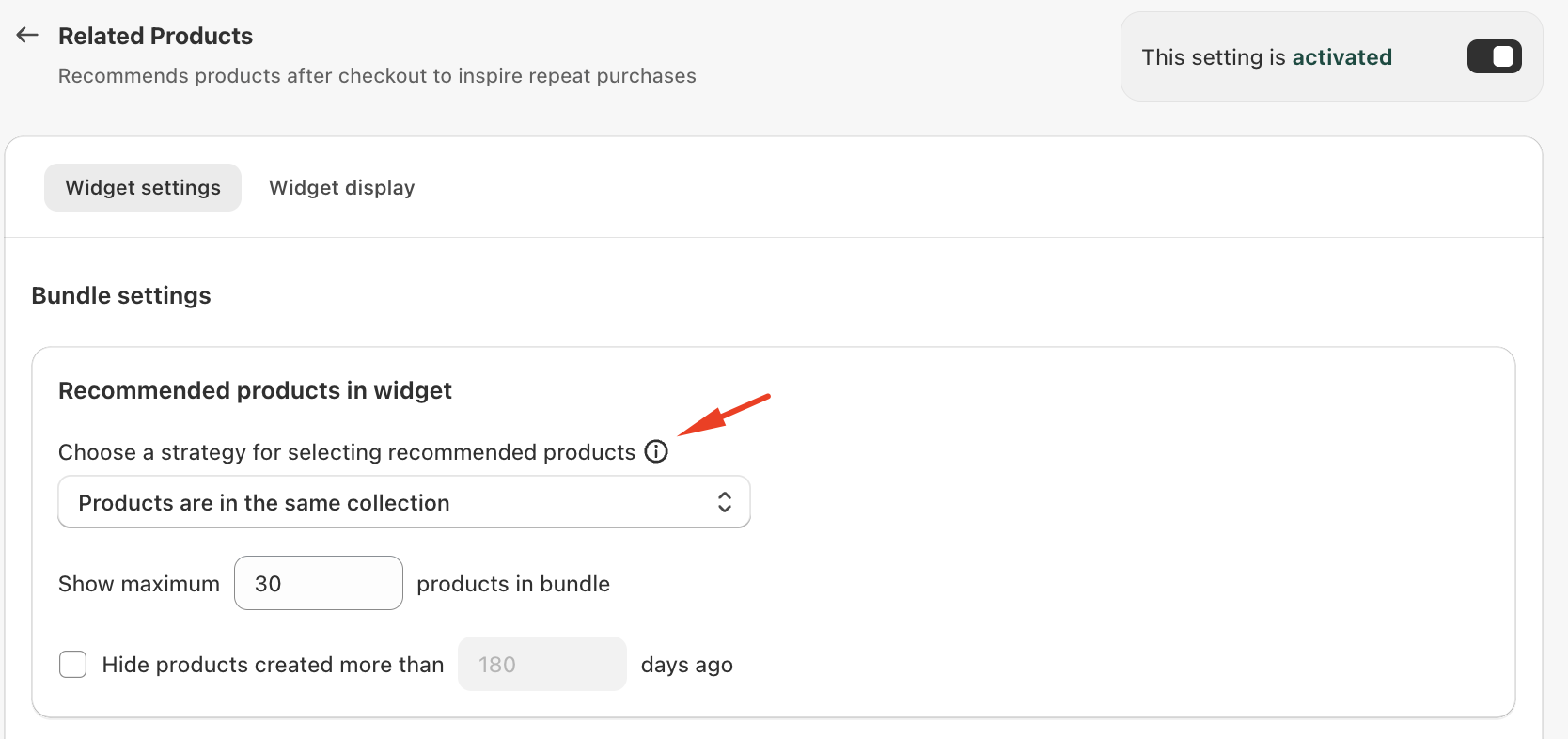
Choose your preferred recommendation strategy
Customize the widget display
Save
Once live, recommendations automatically appear after each completed order.
Conclusion
The Related Products widget turns your Thank You page into a strategic growth opportunity. By presenting thoughtful, relevant recommendations after purchase, you extend the customer journey, strengthen brand engagement, and increase the likelihood of repeat sales.
\
If you require further assistance, please don't hesitate to contact us at support@fether.app.
Was this article helpful?
That’s Great!
Thank you for your feedback
Sorry! We couldn't be helpful
Thank you for your feedback
Feedback sent
We appreciate your effort and will try to fix the article