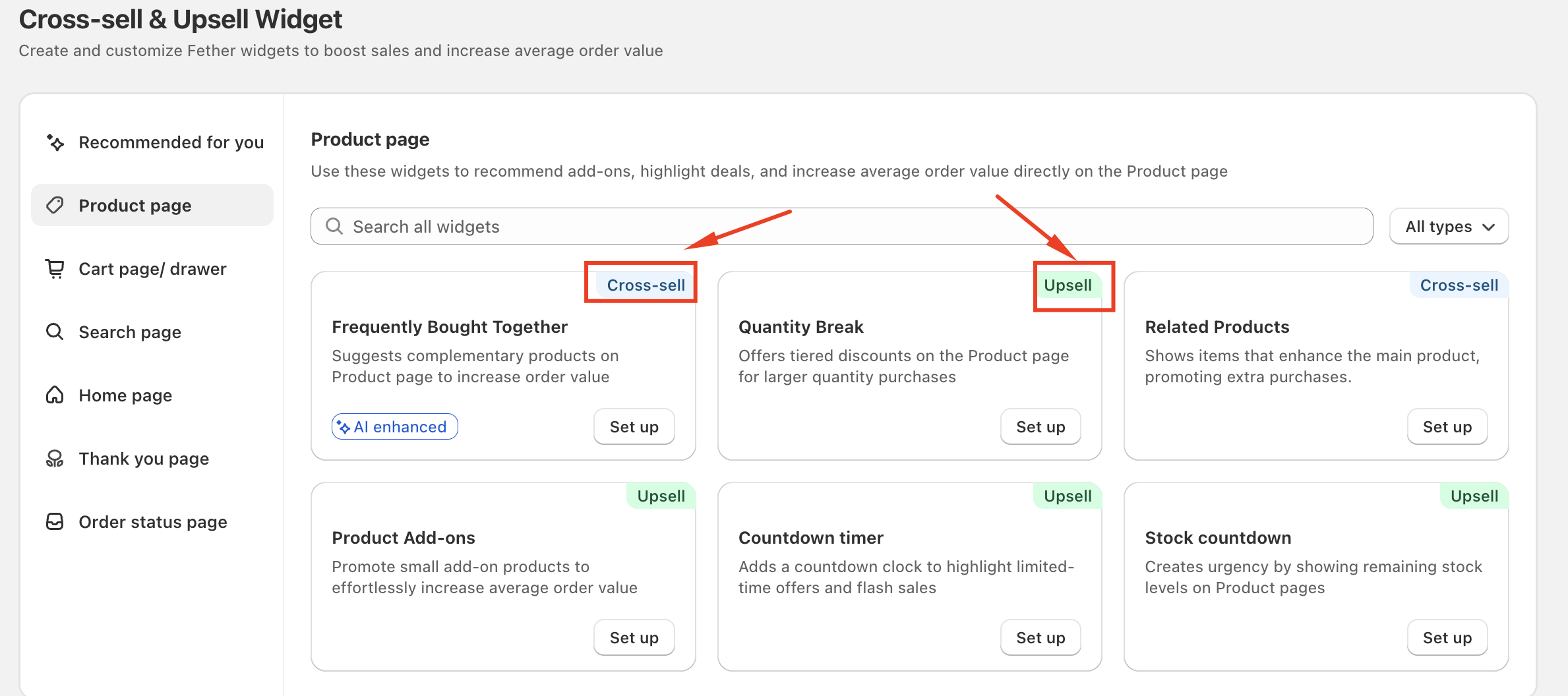
On the Product page, each widget is labeled as either Cross-sell or Upsell. These tags indicate the primary goal of the widget—how it helps increase sales and average order value.
I. Cross-sell Widgets
Cross-sell widgets encourage customers to add additional, related products to their purchase.
What Cross-sell Does
Promotes complementary or matching items
Increases the number of products in the cart
Helps customers discover products that pair well together
Common Cross-sell Examples
Frequently Bought Together – Suggests complementary products commonly purchased together
Related Products – Displays similar or matching items to the main product
II. Upsell Widgets
Upsell widgets encourage customers to spend more on the same purchase by increasing quantity, value, or urgency.
What Upsell Does
Increases the total value of a single purchase
Encourages upgrades, bulk purchases, or faster decisions
Improves conversion and average order value
Common Upsell Examples
Quantity Break – Offers discounts for buying larger quantities
Product Add-ons – Promotes premium extras or optional upgrades
Countdown Timer – Creates urgency with time-limited offers
Stock Countdown – Highlights limited stock to drive quicker purchases
Why Some Widgets Are Labeled Upsell Without Adding Products
Some Upsell widgets (such as Countdown Timer or Stock Countdown) do not add products directly to the cart. Instead, they increase purchase urgency or perceived value, which encourages customers to complete higher-value purchases more quickly.
Quick Summary
Cross-sell: Adds more related products to the cart
Upsell: Increases the value of the same purchase
These tags help you quickly select the right widget based on your sales goal for each product page.
If you require further assistance, please don't hesitate to contact us at support@fether.app.
Was this article helpful?
That’s Great!
Thank you for your feedback
Sorry! We couldn't be helpful
Thank you for your feedback
Feedback sent
We appreciate your effort and will try to fix the article