The Related Products widget on the Order Status page helps you continue the shopping journey even after an order has been placed. By suggesting relevant products while customers track or review their order, you can capture post-purchase interest, encourage additional purchases, and increase overall customer lifetime value.
This widget transforms the Order Status page from a purely informational touchpoint into a subtle, high-impact revenue opportunity.
Why Use Related Products on the Order Status Page?
Customers often revisit the Order Status page to check shipping updates, review order details, or confirm delivery. This repeated engagement makes it an ideal moment to introduce relevant product suggestions.
Using Related Products on this page allows you to:
Capture post-purchase interest at a high-intent moment
Encourage follow-up purchases without disrupting checkout
Keep customers browsing while they await their order
Increase repeat purchase rates with minimal effort
Because the purchase is already complete, recommendations feel helpful and non-intrusive.
How the Related Products Widget Works
The widget appears directly on the Order Status page, displaying a curated set of products based on the customer’s recent order. Recommendations are dynamically generated using predefined strategies, ensuring each suggestion is relevant to what the customer has already purchased.
This ensures a personalized experience without requiring manual updates.
Product Recommendation Strategies
You can choose how products are selected for the widget:
Products bought together in the same order
Suggest items frequently purchased together for strong relevance.Products in the same collection
Recommend products from the same curated collection.Products in the same category
Keep recommendations broad yet contextually relevant.Products with the same tag
Use tags to create precise and targeted product matches.Products of the same type
Ideal for promoting similar or alternative items.Specific collection
Highlight a selected collection, such as Best Sellers or New Arrivals.Specific products
Manually select individual products to promote post-purchase.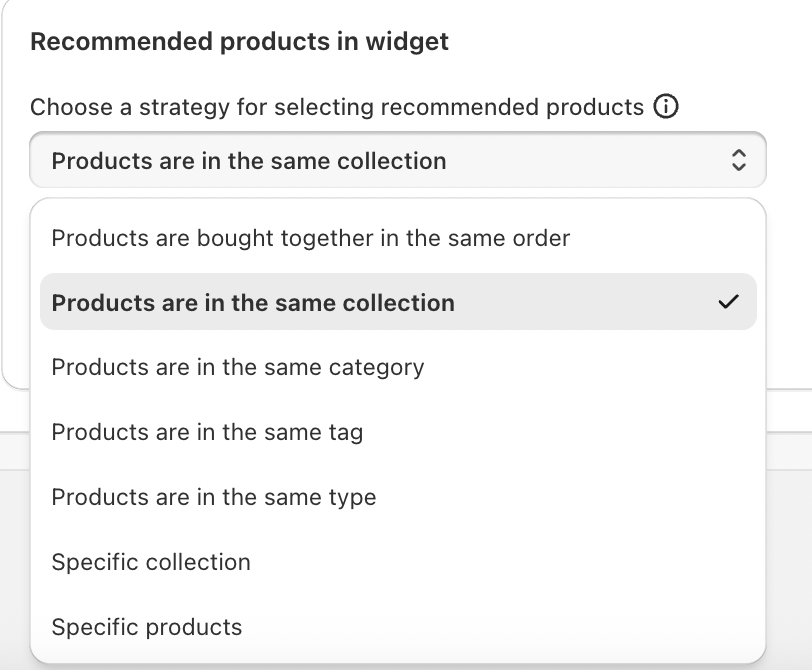
These options allow you to fine-tune recommendations to match your merchandising strategy.
How to Set Up Related Products on the Order Status Page
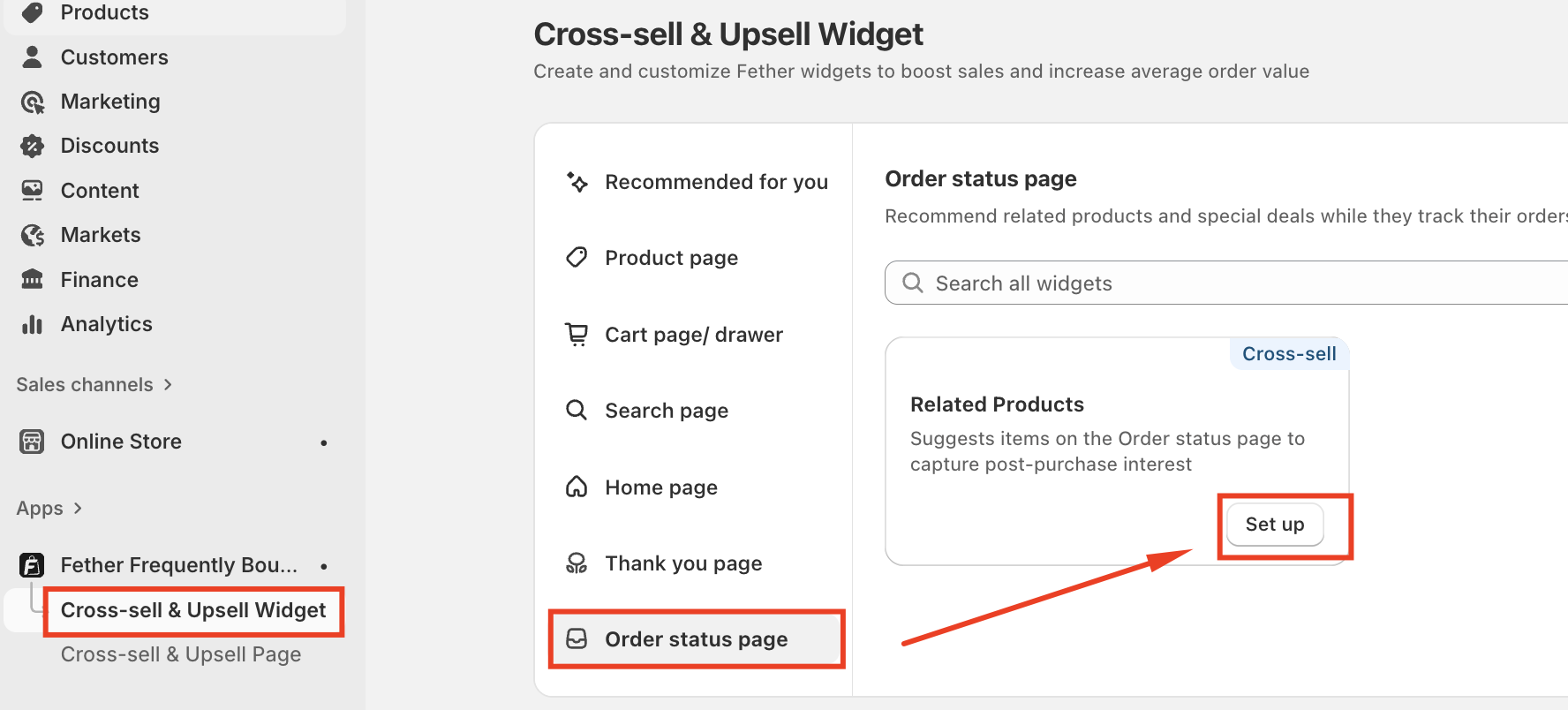
Navigate to Cross-sell & Upsell Widgets
Select Order Status page--> Click Set up on the Related Products
Choose your preferred recommendation strategy
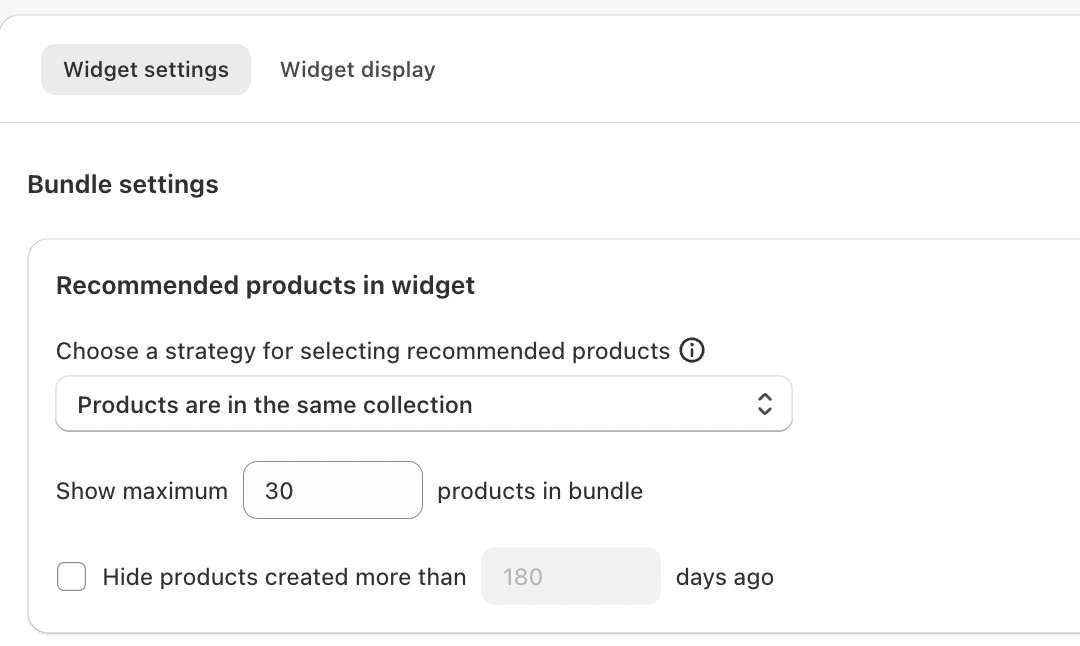
Customize the widget display to match your brand
Save and publish your changes
Once activated, recommendations will automatically appear whenever customers view their order status.
Conclusion
The Related Products widget on the Order Status page helps you capture attention at a moment when customers are already engaged with your brand. By offering relevant, timely product suggestions, you extend the shopping experience beyond checkout and create new opportunities for repeat purchases.
For merchants looking to maximize post-purchase engagement and long-term growth, Related Products on the Order Status page is a smart, effective addition to your cross-sell strategy.
If you require further assistance, please don't hesitate to contact us at support@fether.app.
Was this article helpful?
That’s Great!
Thank you for your feedback
Sorry! We couldn't be helpful
Thank you for your feedback
Feedback sent
We appreciate your effort and will try to fix the article