The Timer Schedule feature allows you to control exactly when your countdown timer appears on your store. By scheduling your timer, you can align promotions with launches, flash sales, holidays, or recurring weekly events—without manually turning the timer on or off.
What Is the Timer Schedule?
The Timer Schedule lets you decide when your countdown timer is visible, based on your store’s timezone. Once configured, the timer will automatically display and hide according to your selected schedule.
You can access this feature from the Timer schedule tab in the widget settings.
Available Scheduling Options
There are three scheduling modes available:
1. No Schedule
Best for: Always-on timers
The countdown timer is displayed at all times
No start or end date is applied
Useful for evergreen offers or timers that count down to a fixed event
When to use it:
If you want the timer to be permanently visible and controlled only by the countdown logic itself.
2. Specific Date
Best for: One-time campaigns, launches, or flash sales
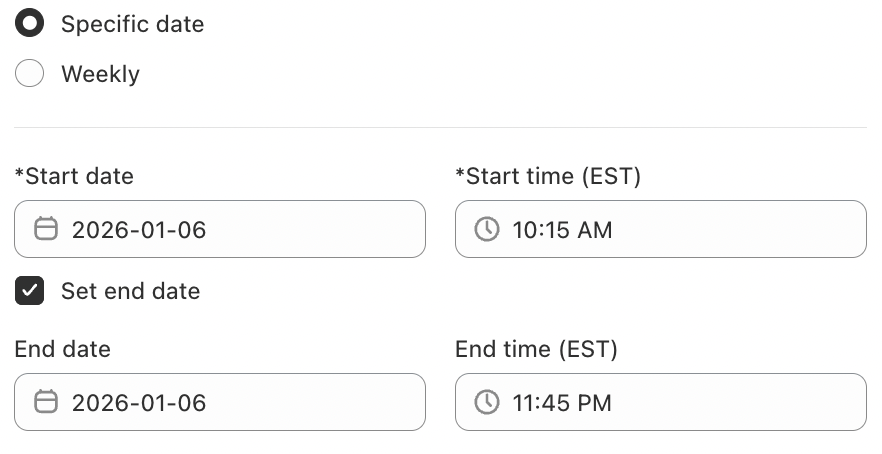
This option allows you to schedule the timer for a specific start date and time.
How it works:
Enable Specific date
Set a Start date
Set a Start time
(Optional) Enable Set end date to automatically stop showing the timer
The timer will only appear during the defined time window.
3. Weekly Schedule
Best for: Recurring promotions
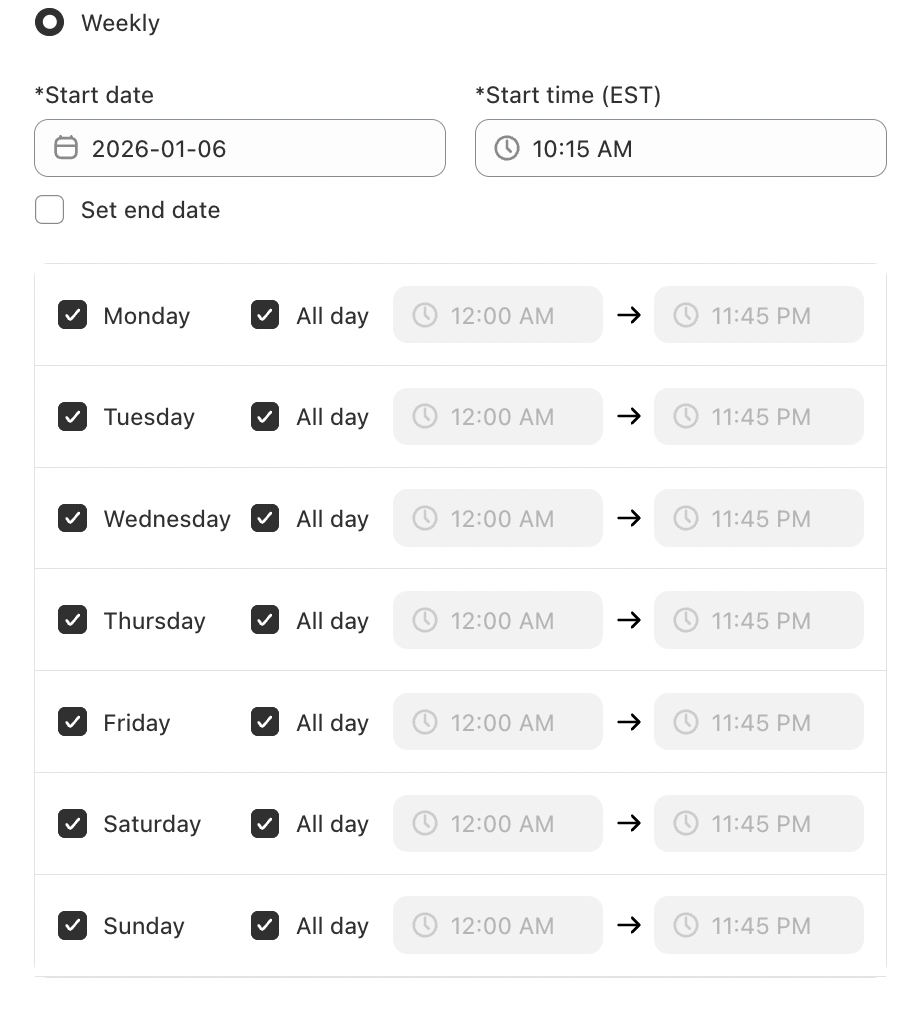
Weekly scheduling allows your timer to appear on selected days and times every week.
Common uses include:
Weekend sales
Weekly deals
Flash offers on specific weekdays
Once configured, the timer will automatically repeat each week—no further setup required.
Setting Start and End Dates
When using Specific date or Weekly scheduling:
Start date & time: Determines when the timer becomes visible
End date (optional): Automatically hides the timer after the promotion ends
If no end date is set, the timer will remain visible indefinitely based on the selected schedule.
Conclusion
The Timer Schedule feature gives you full control over when your countdown timer appears—helping you create urgency at exactly the right moment. Whether you’re running a one-time flash sale or a recurring weekly promotion, proper scheduling ensures your timer works automatically and reliably.
If you require further assistance, please don't hesitate to contact us at support@fether.app.
Was this article helpful?
That’s Great!
Thank you for your feedback
Sorry! We couldn't be helpful
Thank you for your feedback
Feedback sent
We appreciate your effort and will try to fix the article