When you’re managing cross-sell and upsell pages, knowing which template is assigned to each product is essential. Templates control how your product pages look and how upsell widgets appear, so checking them helps you optimize conversions and keep layouts consistent.
Why Checking Product Templates Matters
Before diving into the steps, here’s why this is important:
✅ Ensure the right upsell layout is applied to the right product
✅ Quickly find products using a specific template (e.g., Showcase or Aura)
✅ Maintain consistency across your store
How to Check a Product’s Template
Step 1: Navigate to the Cross-sell & Upsell Page
From the left sidebar, Select Cross-sell & Upsell Page
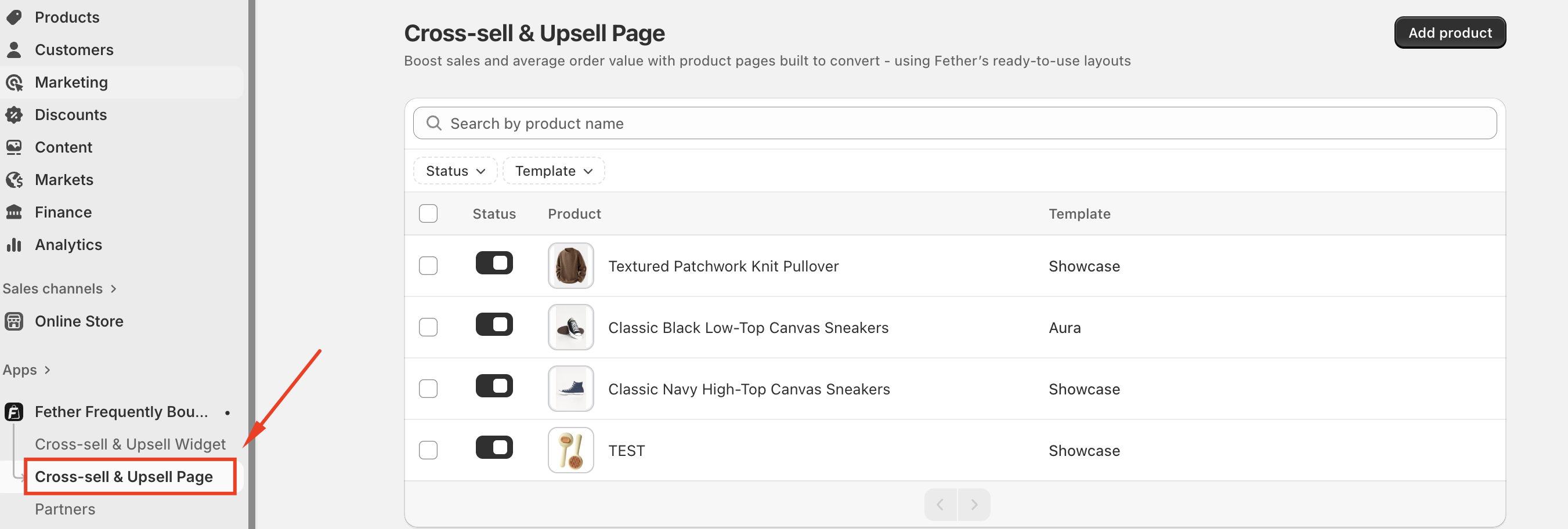
This will open the main product list where all supported products are displayed.
Step 2: Locate the Template Column
On the Cross-sell & Upsell Page, you’ll see a product table with columns such as:
Product name
Status
Template
The Template column shows which template is currently assigned to each product (for example, Showcase or Aura).
Step 3: Use the Template Filter (Recommended)
If you have many products, filtering makes things much easier.
Click the Template dropdown filter at the top of the page
Choose a template:
Showcase
Aura
The list will instantly update to show only products using that template
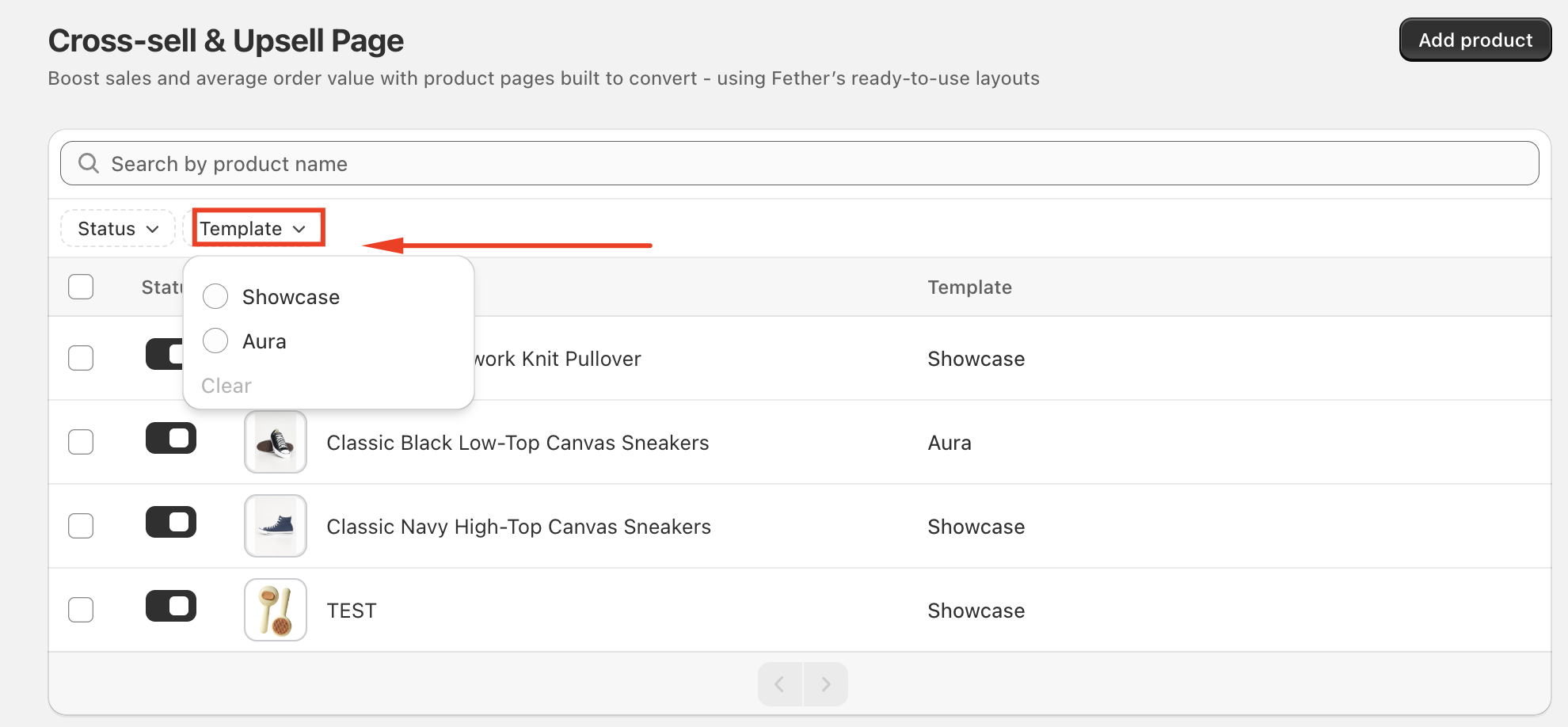
This is the fastest way to check multiple products at once.
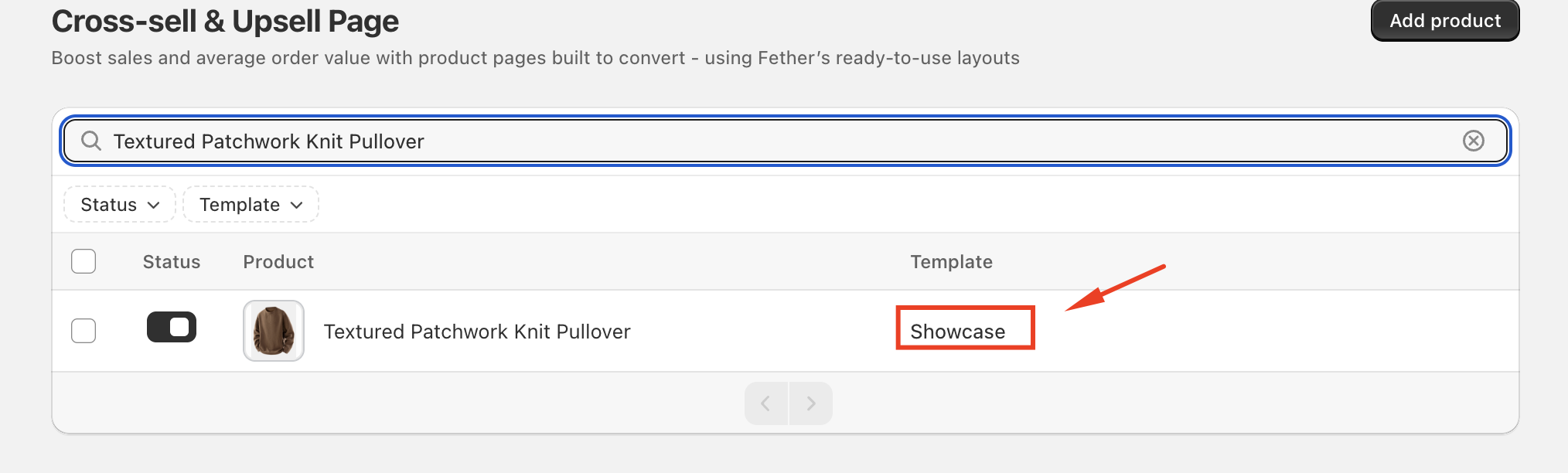
Step 4: Search for a Specific Product
To check a single product:
Use the Search by product name field at the top
Type the product name
Look at the Template column next to the product
You’ll immediately see which template it’s using.
If you require further assistance, please don't hesitate to contact us at support@fether.app.
Was this article helpful?
That’s Great!
Thank you for your feedback
Sorry! We couldn't be helpful
Thank you for your feedback
Feedback sent
We appreciate your effort and will try to fix the article