The Feather Frequently Bought app allows you to easily customize your product upsell pages using ready-made templates designed to increase conversions and average order value. Once a product is assigned an upsell template, you can personalize the layout and content to match your brand and sales strategy.
Customizing a Product Upsell Page
To begin customizing a product upsell page, follow these steps:
Click on Cross-sell & Upsell Page
Here, you will see a list of products that already have upsell templates applied.
Each product in the list displays its assigned upsell template along with customization options.
Locate the product you want to customize
Click the Customize button next to the product
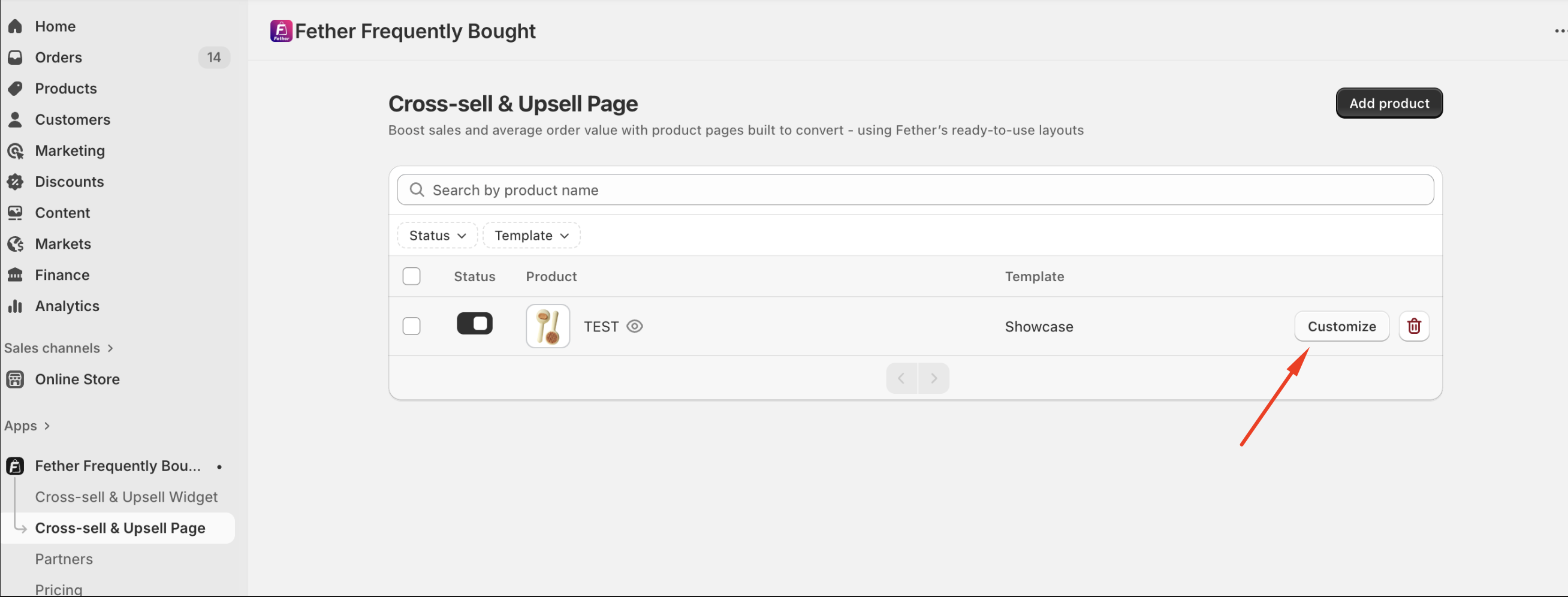
You will be taken to the template editor
Inside the editor, you can:
Adjust the layout and section order
Update text, and product details
Configure upsell and cross-sell product recommendations
Match colors, styles, and branding with your store theme
All changes are previewed in real time, allowing you to fine-tune the design before publishing.
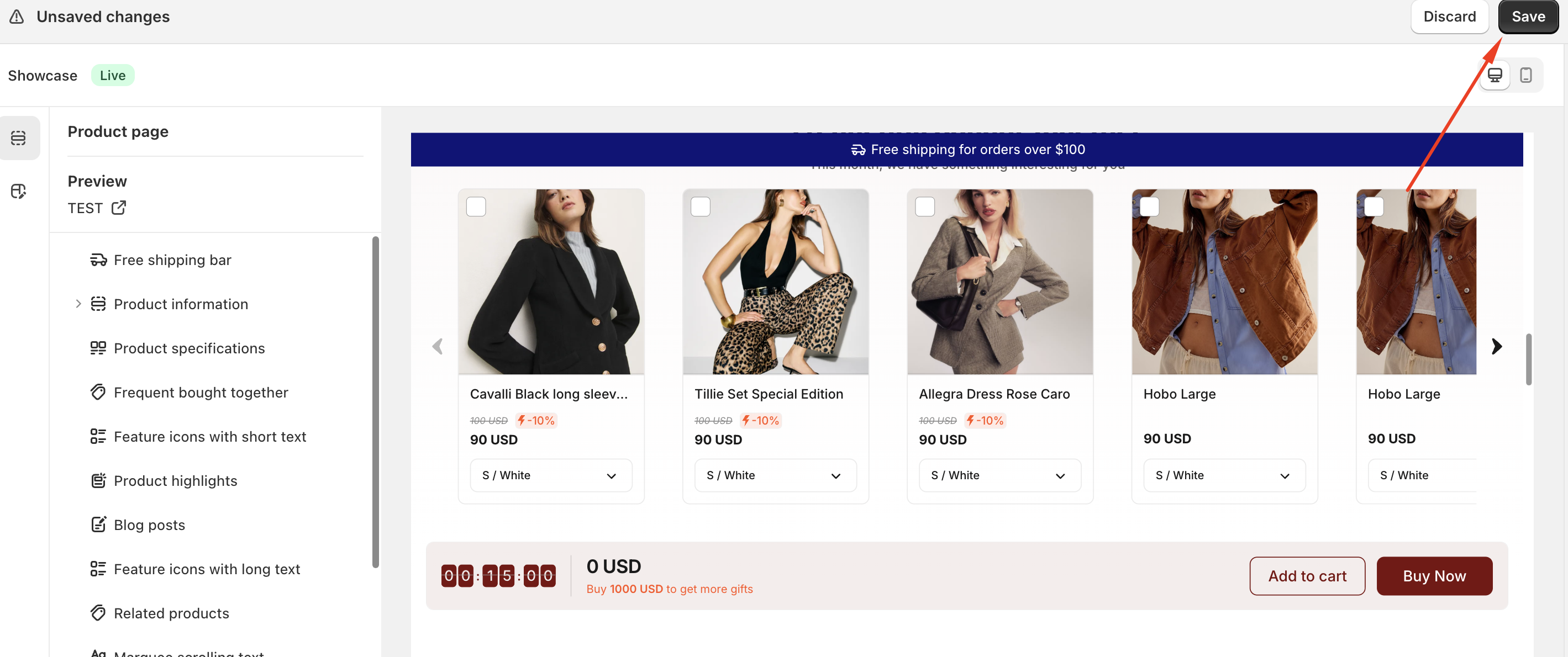
5. Saving and Publishing Changes
Once you are satisfied with your customizations:
Save your changes in the editor
The updated upsell page will automatically apply to the selected product
Customers will see the customized upsell page live on your storefront
Managing or Removing Customizations
If you no longer want a customized upsell page for a product:
You can delete the upsell template from the Feather app, or
Reset the product to Shopify’s default product template from the product settings
This will remove the upsell layout and restore the original product page design.
Summary
Customizing product upsell pages in the Feather app is a simple and flexible process. By selecting a product, choosing an upsell template, and using the built-in editor, you can create high-converting product pages tailored to your store’s needs. Each product supports one upsell template, ensuring a clean and consistent layout while giving you full control over the customer experience.
If you require further assistance, please don't hesitate to contact us at support@fether.app.
Was this article helpful?
That’s Great!
Thank you for your feedback
Sorry! We couldn't be helpful
Thank you for your feedback
Feedback sent
We appreciate your effort and will try to fix the article