Quantity Break is a powerful pricing strategy that rewards customers for buying more. By offering tiered discounts directly on the product page, you encourage larger purchases, increase average order value (AOV), and create a clear incentive to add more items to the cart—all without disrupting the shopping experience.
This article explains what Quantity Breaks are, how they work, why they’re effective, and best practices for setting them up.
What Is a Quantity Break?
A Quantity Break is a tiered discount model where the price per item decreases as the customer buys higher quantities of the same product.
Instead of a single flat discount, customers see multiple options such as:
Buy 1 item – Regular price
Buy 2 items – Save 10%
Buy 3+ items – Save 20%
These tiers are displayed directly on the Product Page, helping customers instantly understand the value of buying more.
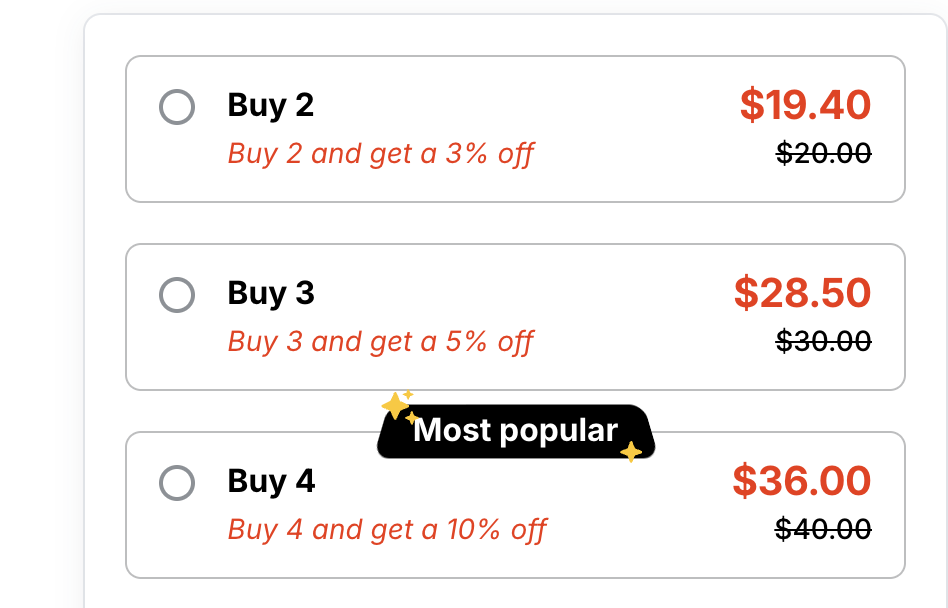
How Quantity Breaks Work on the Product Page
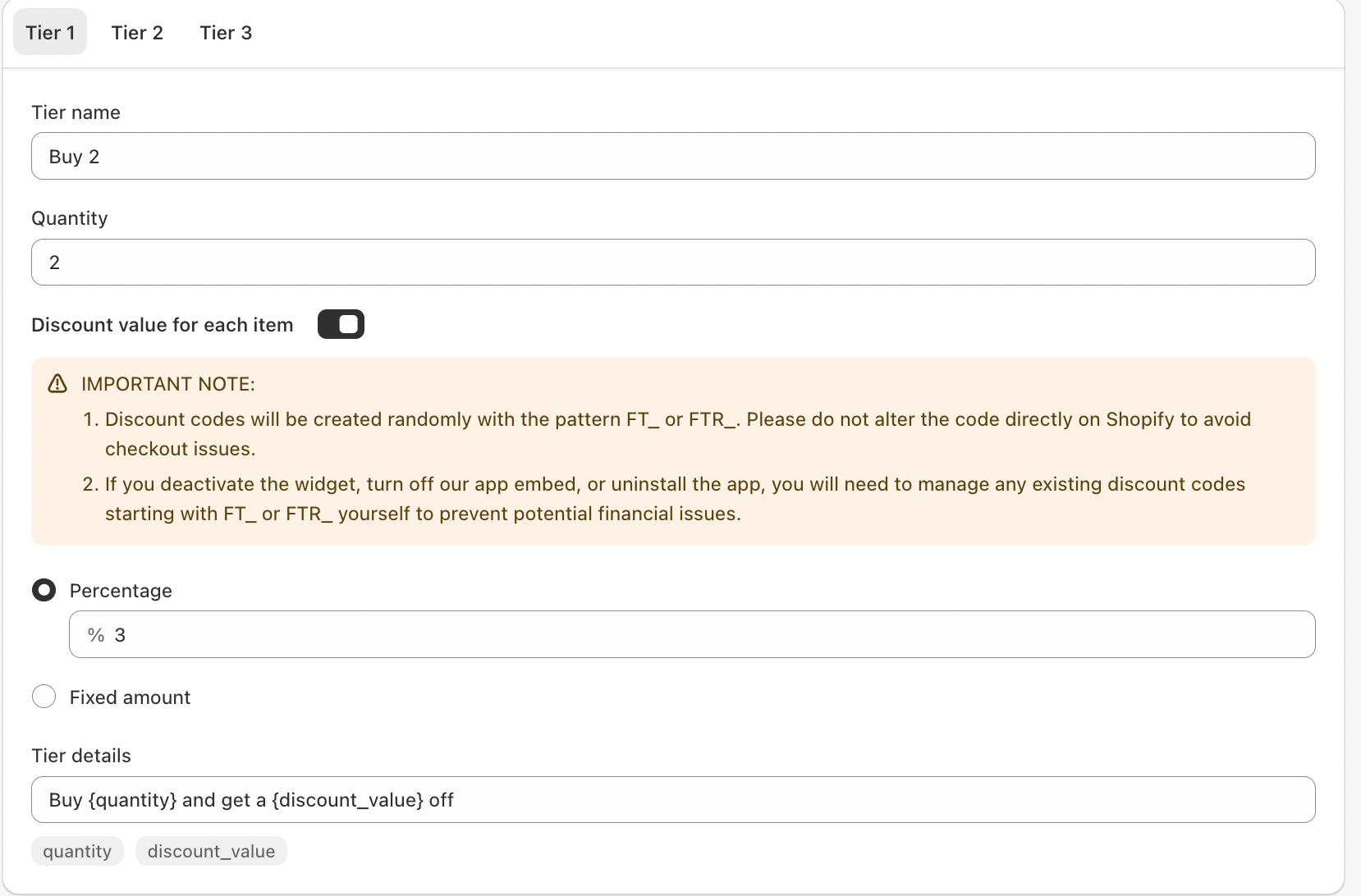
Quantity Breaks are applied through offers with multiple tiers, each tier defining:
Quantity required
Discount type (percentage or fixed amount)
Discount value
Custom tier label or description
When a shopper selects a tier (or increases quantity), the discount is automatically applied at checkout via a generated discount code—no manual code entry required.
Key elements include:
Offer Name – Internal reference for managing campaigns
Applied Product(s) – Specific items the offer applies to
Tier Structure – One or more tiers (e.g., Single, Duo, Pack)
Discount Method – Percentage or fixed amount per item
Tier Messaging – Customer-facing text like “Buy 3 and save 20%”
Why Use Quantity Breaks?
1. Increase Average Order Value (AOV)
Customers are naturally motivated to add more items when the savings are clear and immediate.
2. Improve Conversion Rates
Showing discounts upfront on the product page reduces hesitation and makes the offer more compelling.
3. Encourage Bulk Purchases
Ideal for consumables, repeat-use products, bundles, or wholesale-style pricing.
4. Clear & Transparent Pricing
Shoppers see exactly how much they save at each quantity level—no surprises at checkout.
5. No Coupon Friction
Discounts apply automatically, removing the need for customers to search for or enter codes.
Example Quantity Break Offer
| Tier Name | Quantity | Discount | Customer Message |
|---|---|---|---|
| Single | 1 | — | Buy 1 at regular price |
| Duo | 2 | 10% off | Buy 2 and save 10% |
| Pack | 3 | 20% off | Buy 3 and save 20% |
This structure clearly nudges shoppers toward higher-value tiers.
Best Practices for Quantity Break Offers
✔ Keep Tiers Simple
Use 2–4 tiers max. Too many options can overwhelm customers.
✔ Highlight the Best Value
Visually emphasize the most popular or highest-value tier (e.g., “Best Deal”).
✔ Use Clear Tier Names
Names like Single, Bundle, or Family Pack are easier to understand than numbers alone.
✔ Match Discount Depth to Margins
Ensure discounts are attractive but sustainable for your business.
✔ Write Benefit-Focused Messaging
Instead of just “10% off,” try “Save more when you stock up.”
Conclusion
Quantity Breaks are a proven way to sell more without spending more on traffic. By placing tiered discounts directly on the product page, you make value visible, reduce friction, and guide customers toward higher-value purchases.
When implemented thoughtfully, Quantity Breaks benefit both merchants and customers—shoppers save more, and your store earns more per order.
If you require further assistance, please don't hesitate to contact us at support@fether.app.
Was this article helpful?
That’s Great!
Thank you for your feedback
Sorry! We couldn't be helpful
Thank you for your feedback
Feedback sent
We appreciate your effort and will try to fix the article