The Stock Countdown feature helps you increase conversions by displaying real-time stock scarcity directly on your product pages. By showing customers how many items are left, you tap into urgency and social proof—encouraging faster purchasing decisions and reducing hesitation.
What Is Stock Countdown?
Stock Countdown displays a dynamic message such as:
“Only 5 left in stock. Hurry up!”
The message automatically updates based on your product’s inventory level, making it a powerful tool for:
Low-stock alerts
Limited-quantity products
High-demand or fast-selling items
When customers see limited availability, they are more likely to act quickly rather than postpone their purchase.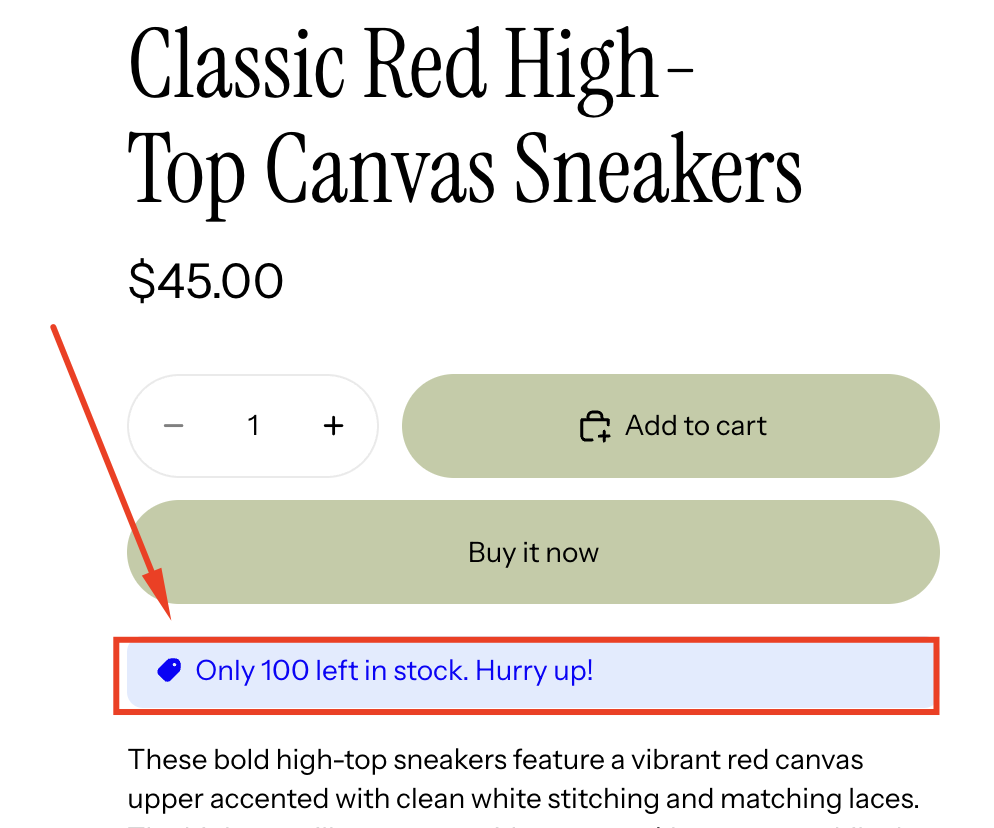
How Stock Countdown Works
The widget pulls real-time inventory data from your store
A variable like {stock_quantity} is used to display the remaining stock
The message updates automatically as inventory changes
You control where, when, and for which products it appears
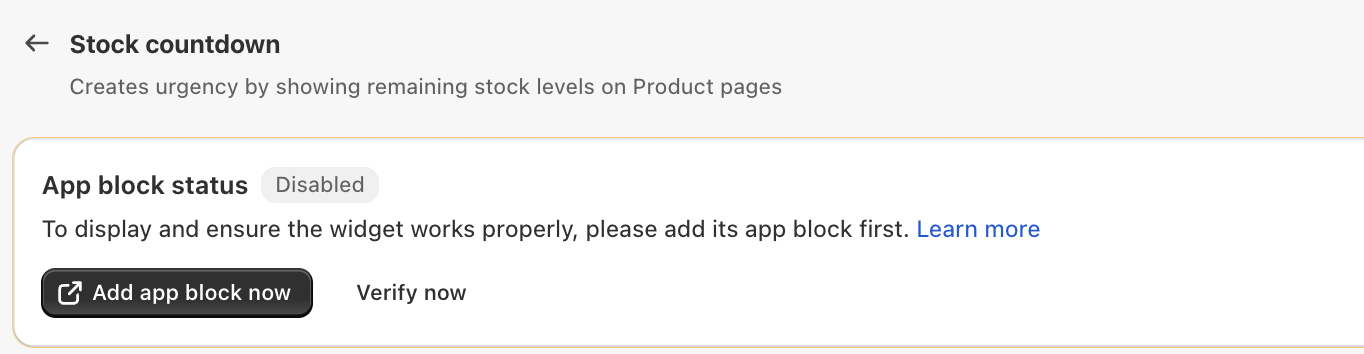
App Block Requirement
Before the Stock Countdown can appear on your store:
The App block status must be enabled
You must add the app block to your theme using the Theme Editor
If the app block is missing, the widget will not display—even if all settings are configured correctly.
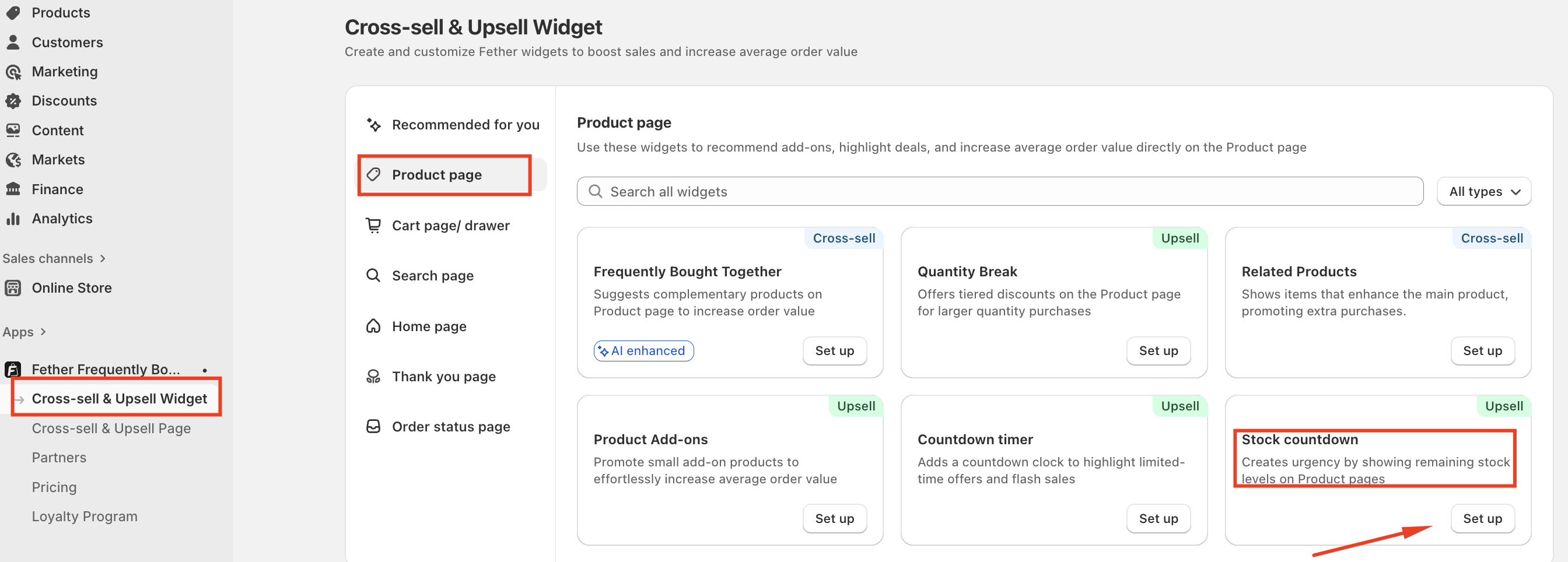
How to Set Up a Stock countdown on the Product Page
To create a Stock countdown for your product page, follow these steps:
Go to Cross-sell & Upsell Widget
Select Product page
Click Set up on Stock countdown
General Settings Overview
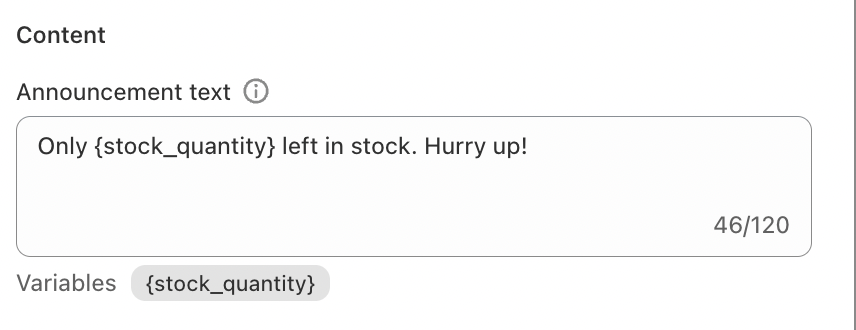
1. Announcement Text
This is the message customers see on the product page.
You can customize the wording freely
Use the {stock_quantity} variable to dynamically show remaining inventory
Example:
Only {stock_quantity} left in stock. Hurry up!
This variable automatically updates for each product.
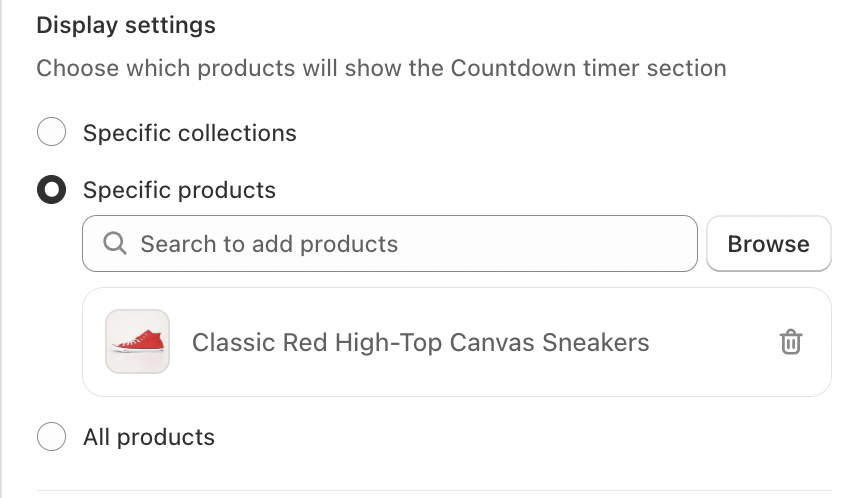
2. Display Settings (Product Targeting)
Choose where the Stock Countdown will appear:
Specific collections
Show the countdown only on products within selected collectionsSpecific products
Apply the countdown to individual products onlyAll products
Display the countdown across your entire catalog
This flexibility lets you focus urgency where it matters most.
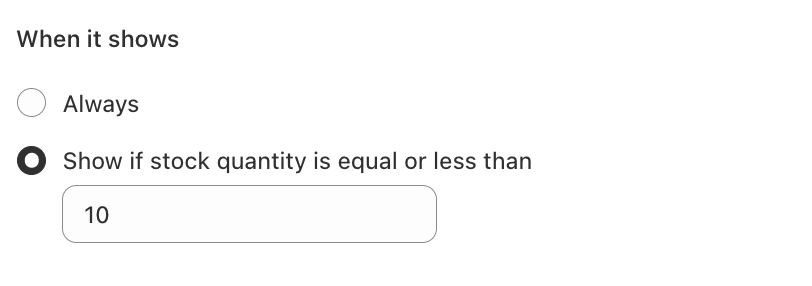
3. When It Shows
You can control the visibility of the countdown based on conditions such as:
Always
Show if stock quantity is equal or less than
Conclusion
Stock Countdown is a simple yet powerful conversion tool. By showing real-time inventory levels, you create urgency, reduce hesitation, and encourage customers to act while the product is still available.
When used strategically, Stock Countdown can significantly boost add-to-cart rates and overall sales—especially during promotions, product launches, and high-demand periods.
If you require further assistance, please don't hesitate to contact us at support@fether.app.
Was this article helpful?
That’s Great!
Thank you for your feedback
Sorry! We couldn't be helpful
Thank you for your feedback
Feedback sent
We appreciate your effort and will try to fix the article