If you see the message “All products have been assigned already” when trying to add a new Product Add-on, don’t worry—this is expected behavior and easy to resolve.
This article explains why this happens and what you can do next.
What Does “All Products Have Been Assigned Already” Mean?
This message appears when every product in your store is already assigned to an existing Product Add-on.
In other words:
Your current Product Add-ons already cover all available products
There are no unassigned products left to apply a new add-on to
This ensures that Product Add-ons remain clear, relevant, and non-overlapping on the product page.
Common Scenarios Where This Happens
You may encounter this message if:
You created an add-on and set it to All products
Multiple add-ons already cover all collections
Each individual product has already been assigned to an add-on
Why This Limitation Exists
This behavior helps:
Prevent multiple add-ons from stacking unintentionally
Avoid confusing customers with duplicate or conflicting offers
Maintain consistent performance and display logic
Ensure each add-on is intentionally placed and targeted
How to Fix It
Option 1: Edit an Existing Product Add-on
Instead of creating a new add-on, you can:
Open an existing Product Add-on
Add or modify items within it
Update pricing, display rules, or appearance
Save changes
This is the best approach if your new add-on is similar to an existing one.
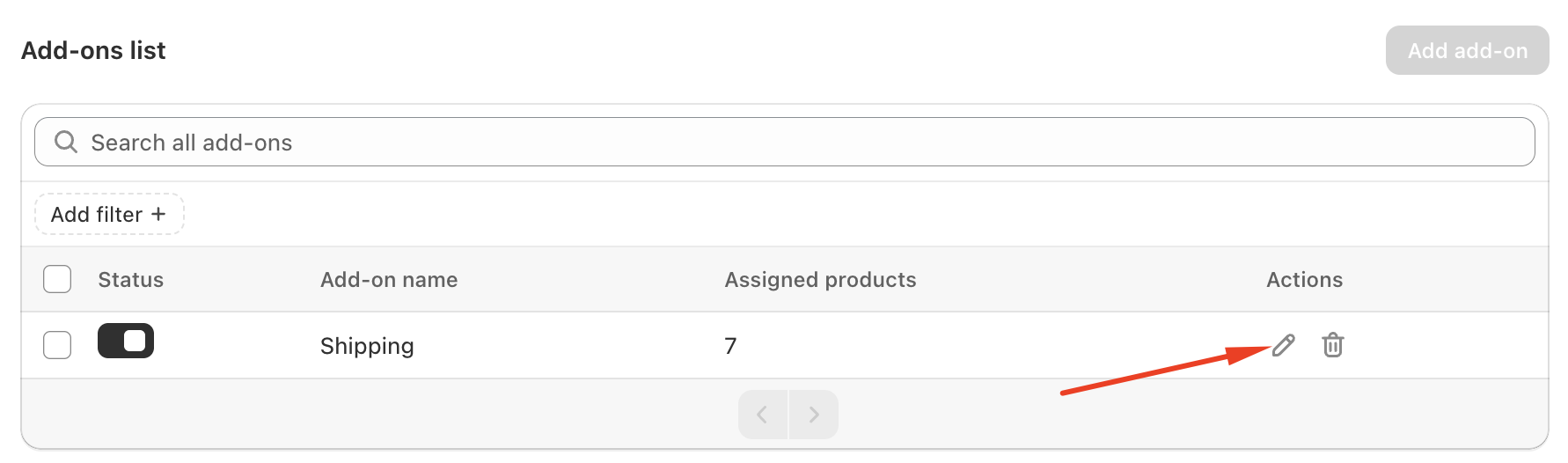
Option 2: Change Display Settings on an Existing Add-on
Open an existing add-on
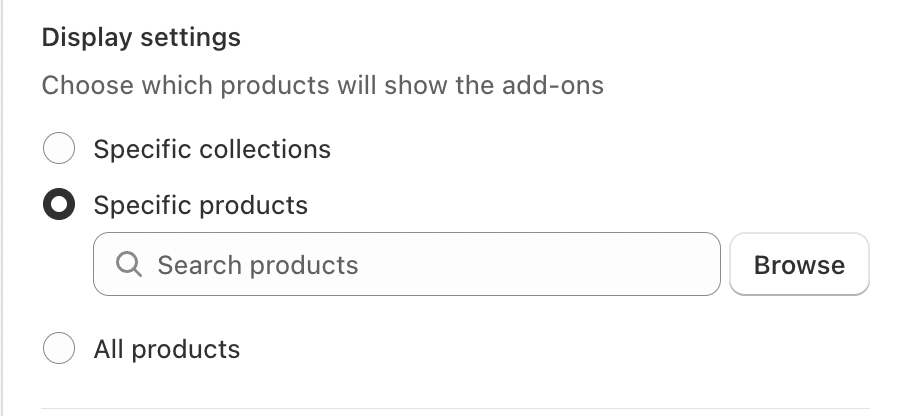
Adjust its Display settings
Narrow the scope to:
Specific products, or
Specific collections
Save the changes
This will free up unassigned products so you can create a new add-on.
Option 3: Remove or Delete an Existing Add-on
If an add-on is no longer needed:
Delete the existing add-on
Return to the Product Add-ons page
Click Add add-on again
Once products are unassigned, you’ll be able to create a new add-on.
If you require further assistance, please don't hesitate to contact us at support@fether.app.
Was this article helpful?
That’s Great!
Thank you for your feedback
Sorry! We couldn't be helpful
Thank you for your feedback
Feedback sent
We appreciate your effort and will try to fix the article