The Fether app allows you to customize the appearance and behavior of its widgets to better align with your store’s purchasing flow. If you prefer not to display the Buy Now button in the widget, you can easily disable it from the in-app settings.
Steps to Disable the Buy Now Button
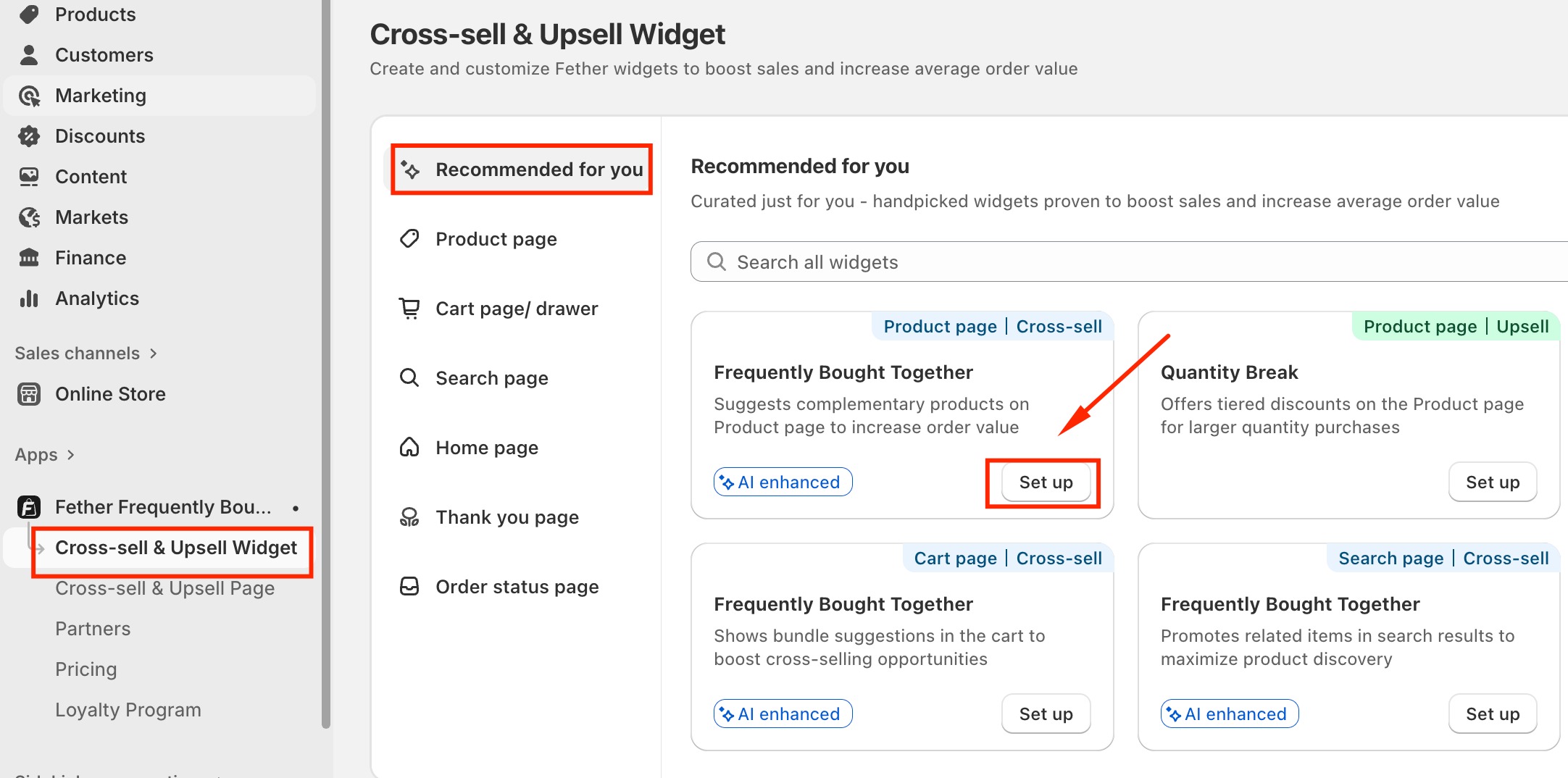
Navigate to Cross-sell & Upsell Widget.
Select Recommended for You.
Click on Set up on Frequently Bought Together.
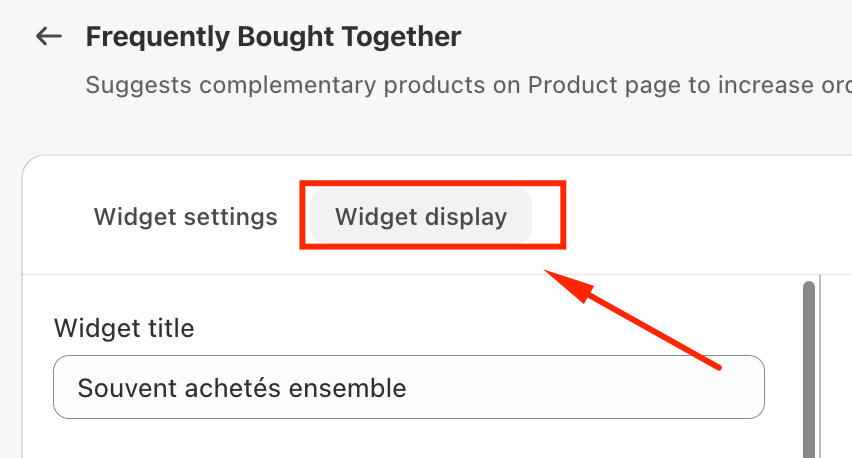
Scroll to the Widget Display section.
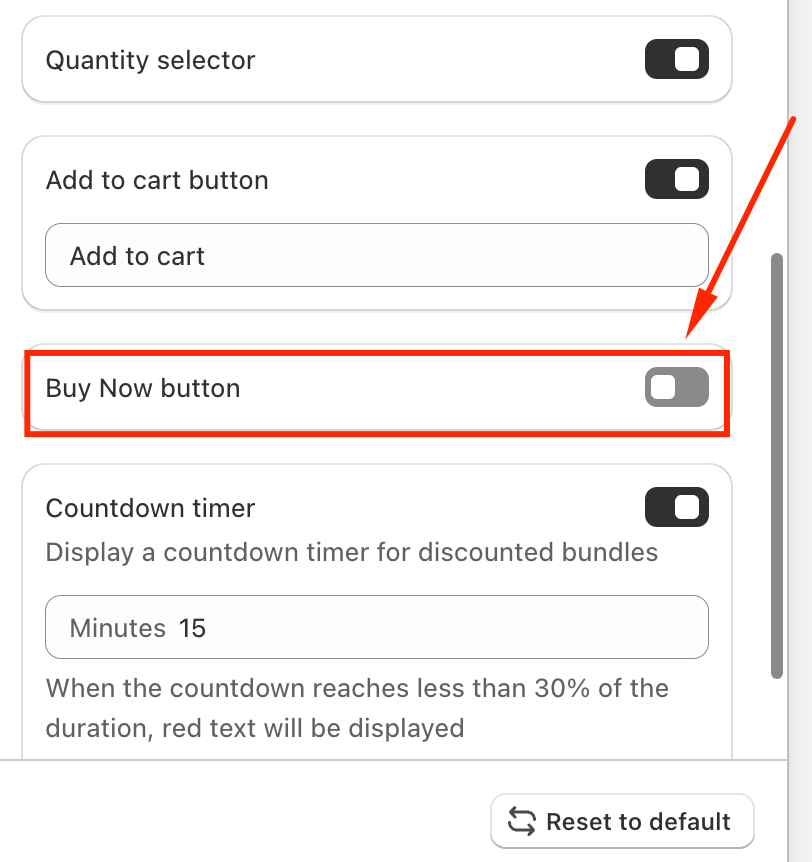
Locate the Buy Now Button option and toggle it off.
Click Save to apply the changes.
Once these steps are completed, the Buy Now button will no longer be displayed in the widget, helping ensure customers follow your preferred checkout flow.
If you require further assistance, please don't hesitate to contact us at support@fether.app.
Was this article helpful?
That’s Great!
Thank you for your feedback
Sorry! We couldn't be helpful
Thank you for your feedback
Feedback sent
We appreciate your effort and will try to fix the article