The “Minimum purchase amount” text shown on the widget refers to a discount condition that can be configured when creating bundles. This setting allows you to define a minimum order value that customers must meet in order to receive a bundle discount.
At present, the Discount option—and therefore the Minimum purchase amount feature—is available only for bundles created using the “Specific products” bundle type.
Steps to Set Up the Minimum Purchase Amount
Open the Fether app from your Shopify admin.
Create a new bundle or edit an existing one.
When prompted to choose a type of main product, select Specific product.
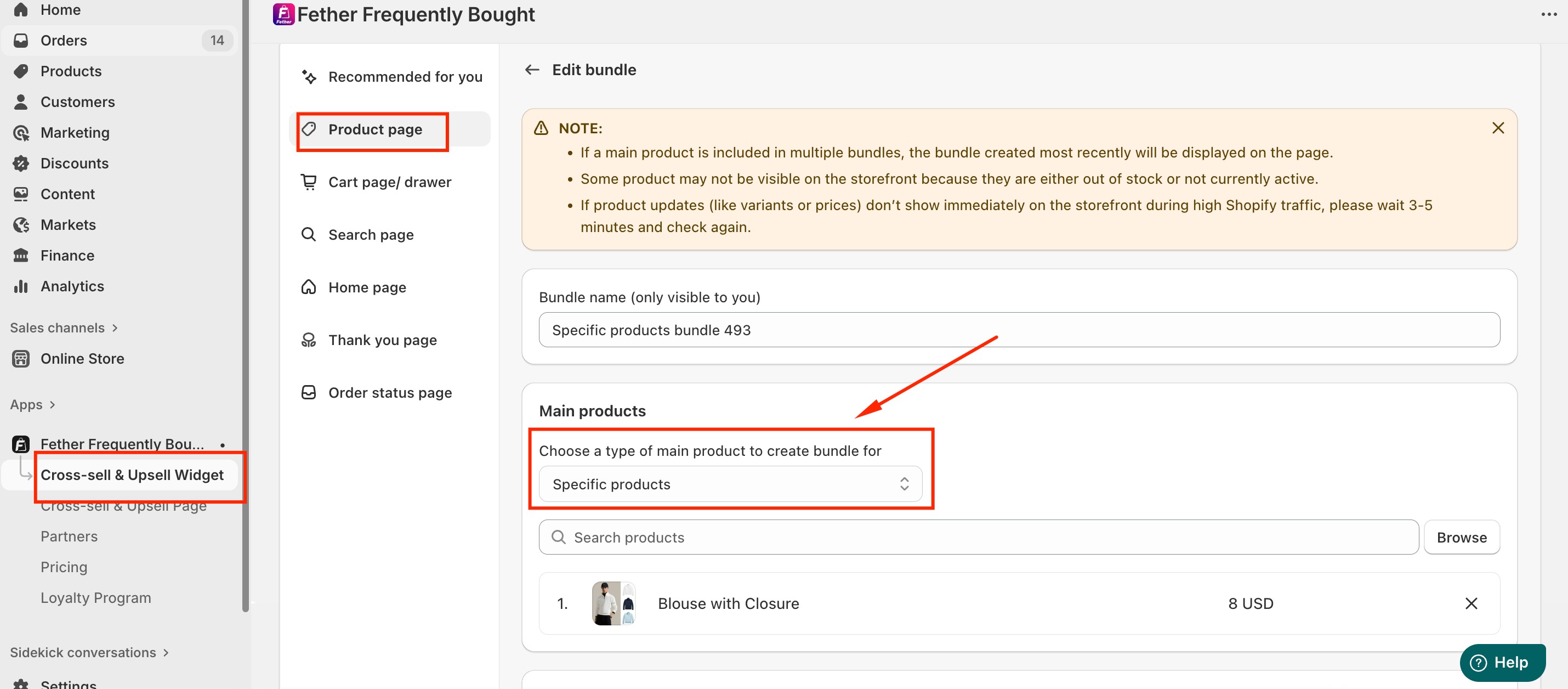
Scroll to the Discount section and turn it on.
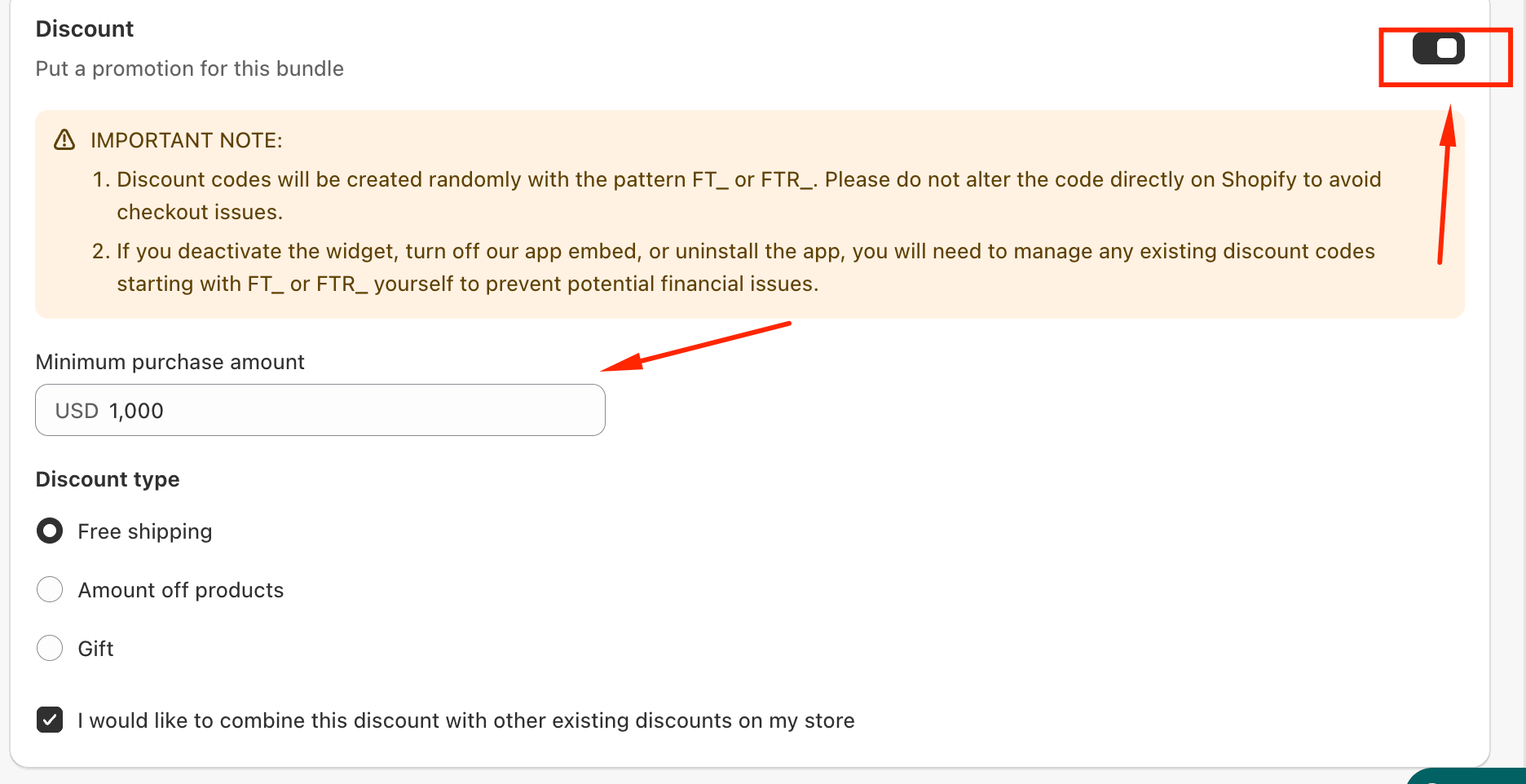
Enter the desired value in the Minimum purchase amount field.
Click Save to apply your changes.
Once saved, the discount will only be applied when the customer’s bundle meets or exceeds the specified minimum purchase amount.
Customize the Widget Text
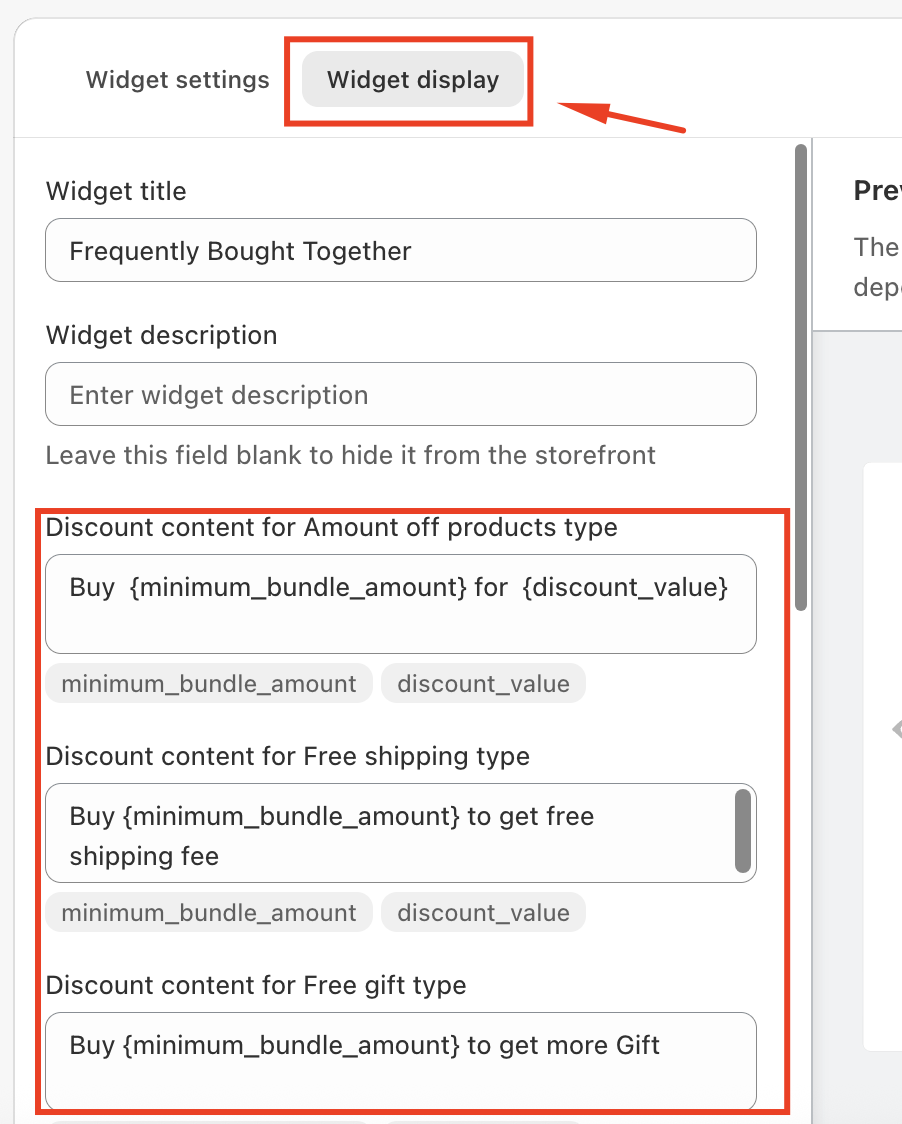
You can also customize how this message appears to customers. The text related to the Minimum purchase amount can be edited directly in the Widget Display settings, allowing you to better match your store’s tone and messaging.
Was this article helpful?
That’s Great!
Thank you for your feedback
Sorry! We couldn't be helpful
Thank you for your feedback
Feedback sent
We appreciate your effort and will try to fix the article