Increase your average order value by showcasing Frequently Bought Together products and encouraging customers to add more items to their cart with ease.
This feature allows you to create product bundles directly on your product pages, making it simple for customers to discover and purchase complementary items.
How to Create a Product Bundle
Step 1: Access the Frequently Bought Together Settings
Go to Cross-sell & Upsell Widget
Navigate to Product Page
Select Set up Frequently Bought Together
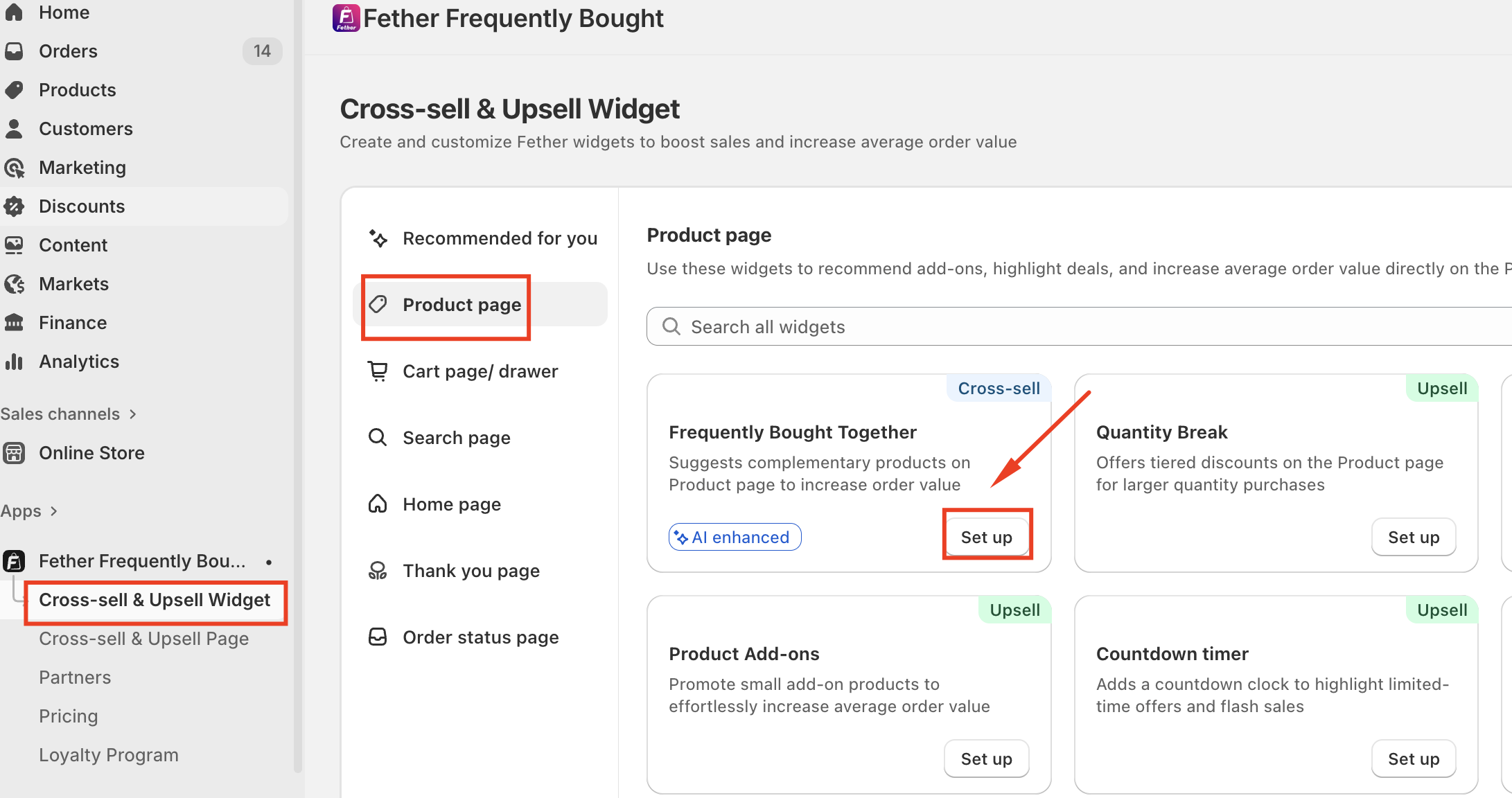
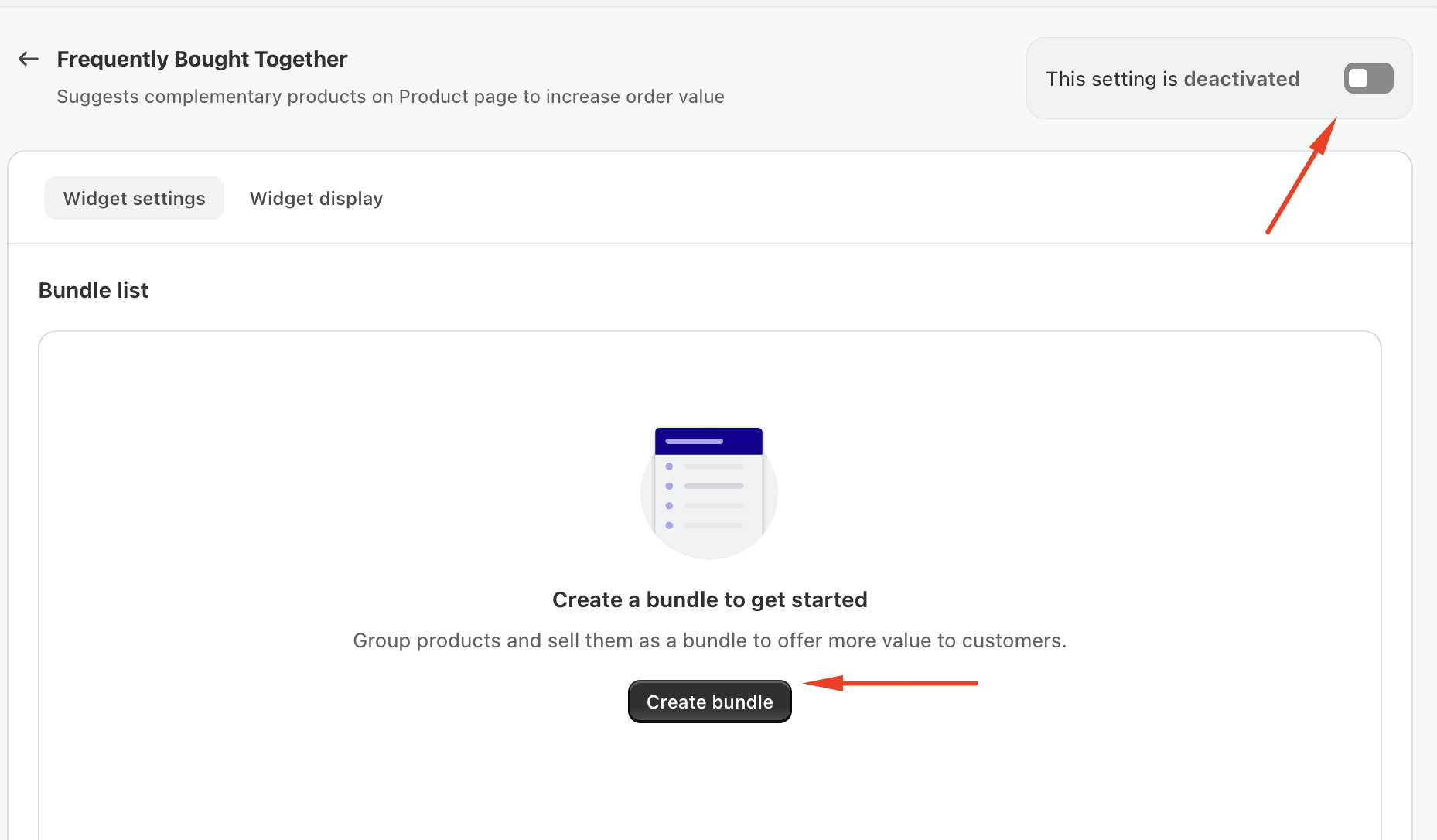
Step 2: Create a Bundle
Activate the Frequently Bought Together setting
Click Create Bundle
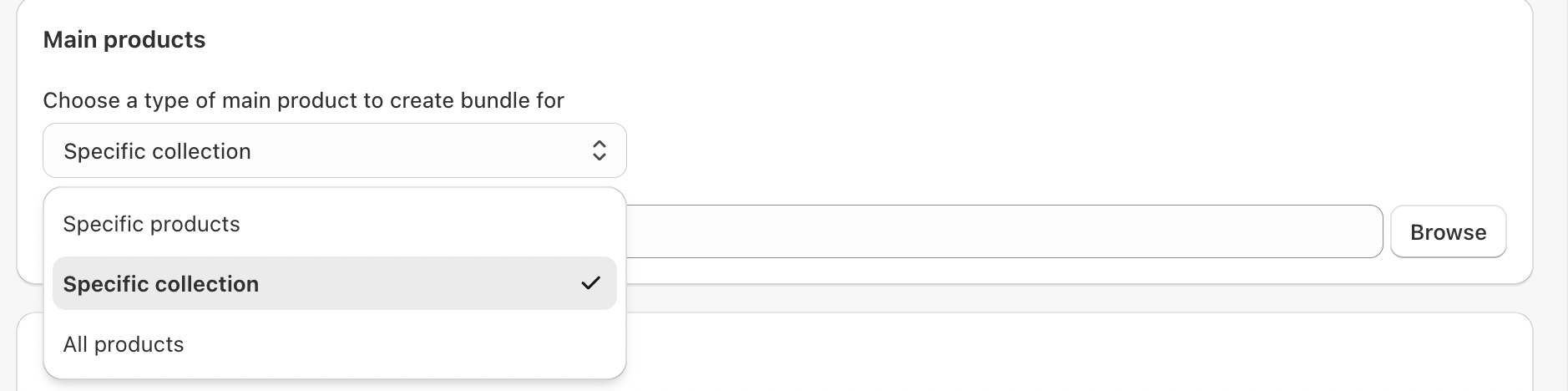
Step 3: Choose Main Products
Select which products the bundle will apply to. You can choose from:
Specific products
Specific collections
All products
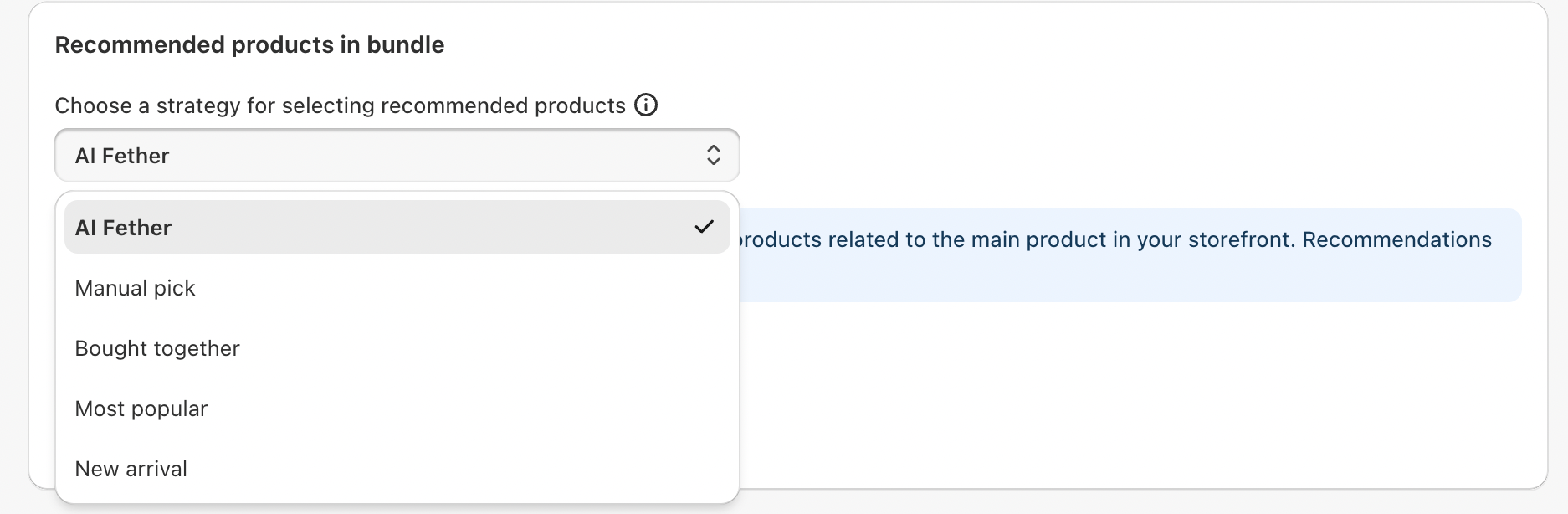
Step 4: Select Recommended Products Strategy
Choose how recommended products are added to the bundle:
AI-powered recommendations
Manual selection
Frequently bought together
Most popular products
New arrivals
Step 5: Customize Bundle Display
Choose how many products are shown in each bundle
Optionally, display only products created within a specific timeframe

Step 6: Selectable Bundle Option
Enable this option to allow customers to:
Pre-select all products in the bundle
Allow visitors to choose which recommended products to purchase
This provides flexibility and improves the shopping experience.

NOTE:
- If a main product is included in multiple bundles, the bundle created most recently will be displayed on the page.
- Some product may not be visible on the storefront because they are either out of stock or not currently active.
- If product updates (like variants or prices) don’t show immediately on the storefront during high Shopify traffic, please wait 3-5 minutes and check again.
If you require further assistance, please don't hesitate to contact us at support@fether.app.
Was this article helpful?
That’s Great!
Thank you for your feedback
Sorry! We couldn't be helpful
Thank you for your feedback
Feedback sent
We appreciate your effort and will try to fix the article